

The One Farmer
Süper Üye
Windows 11 With NVIDIA
- Settings & Display& Grapic
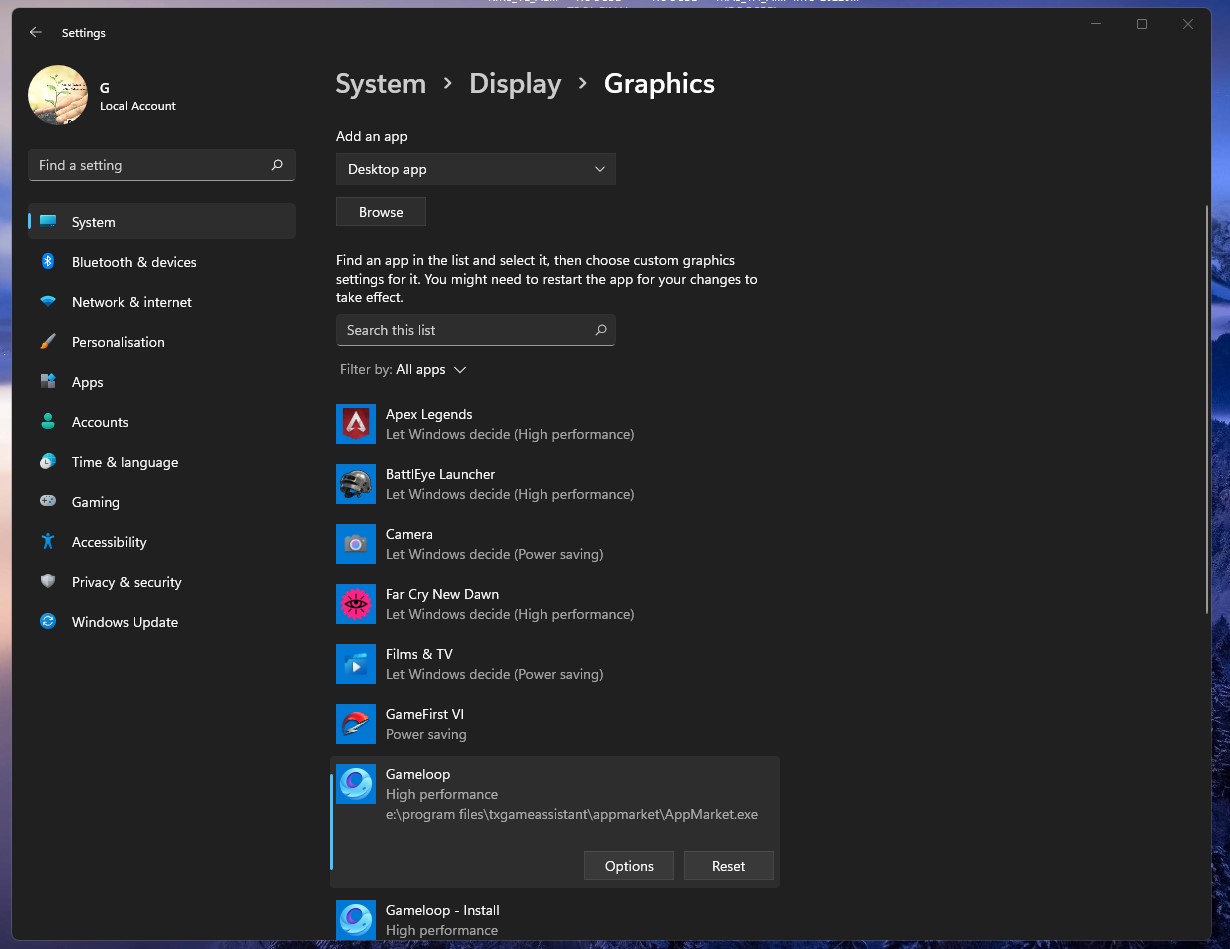
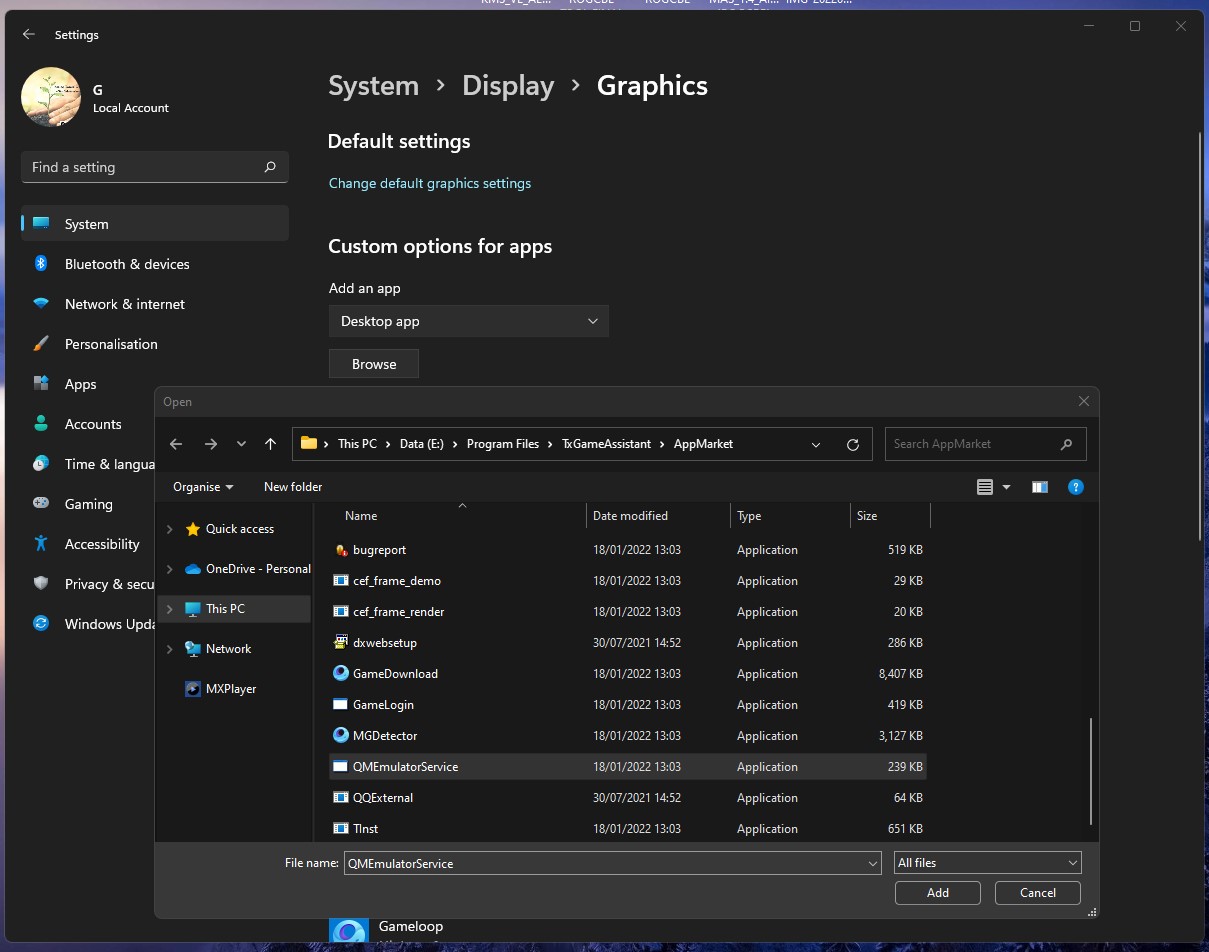
-Custom Options for apps Under Click Browse _Add AppMarket.exe & QMEmulatorService.exe (where you installed game loop located )

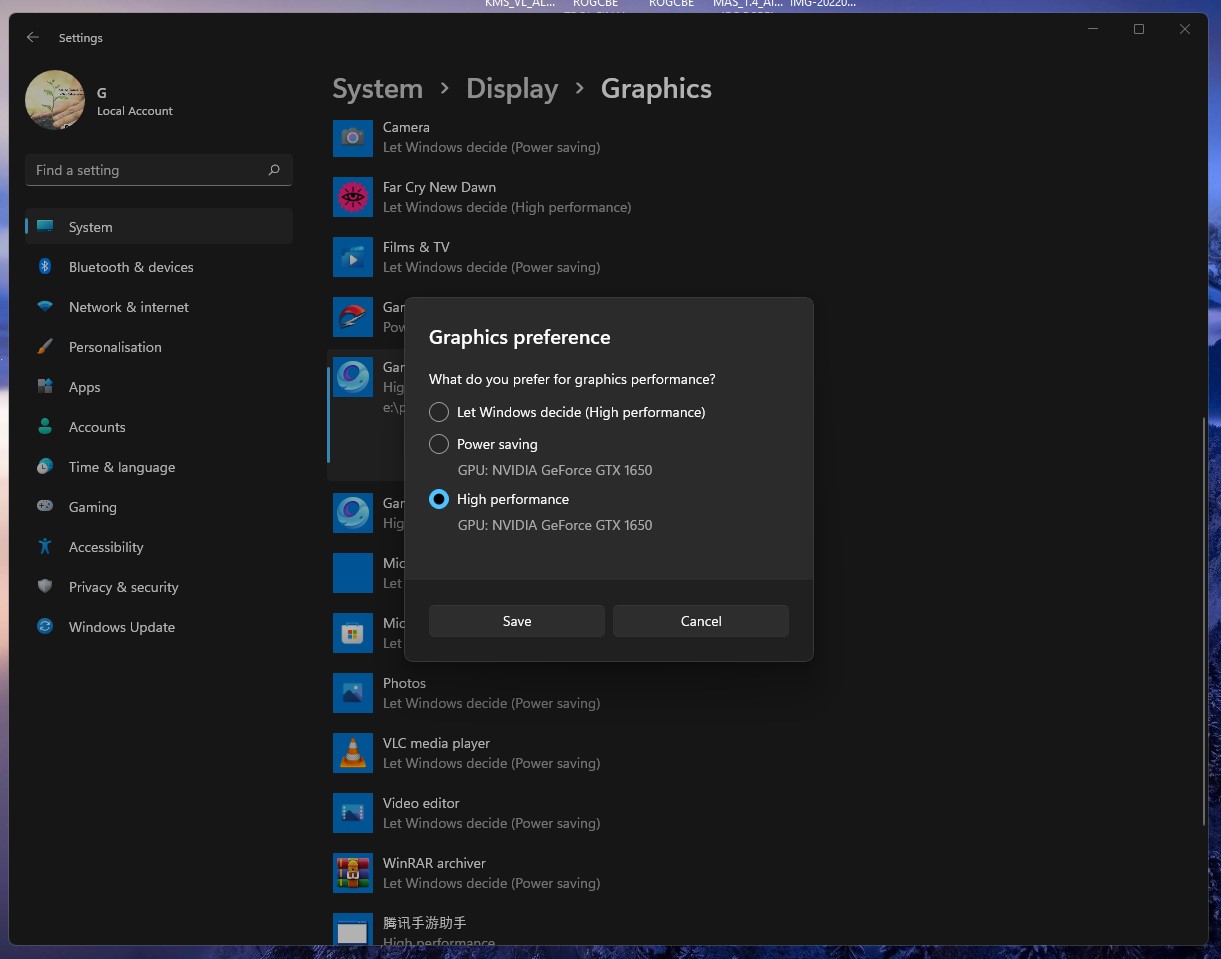
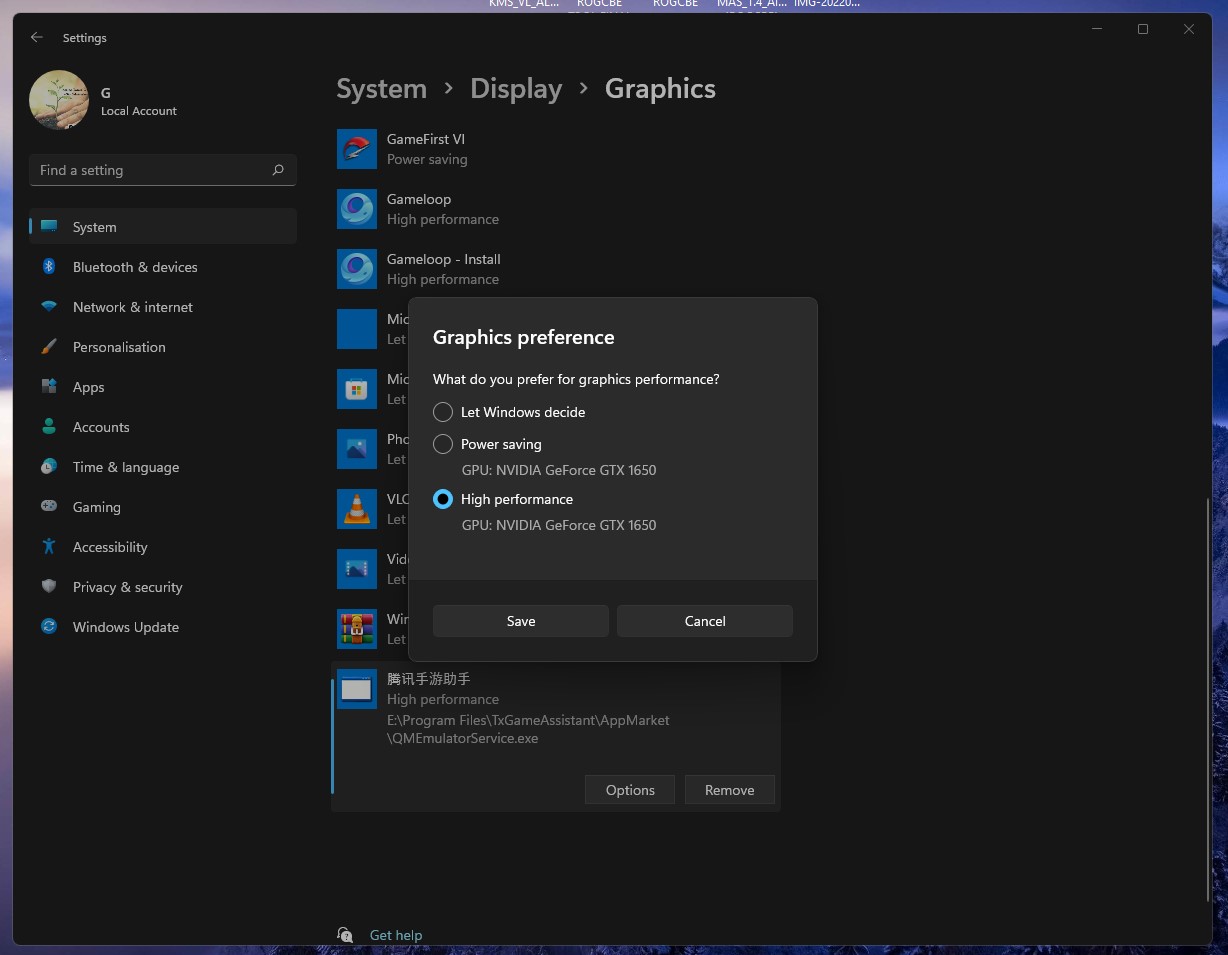
- Click Options and Set both file and Save Graphics Performance- High Performance
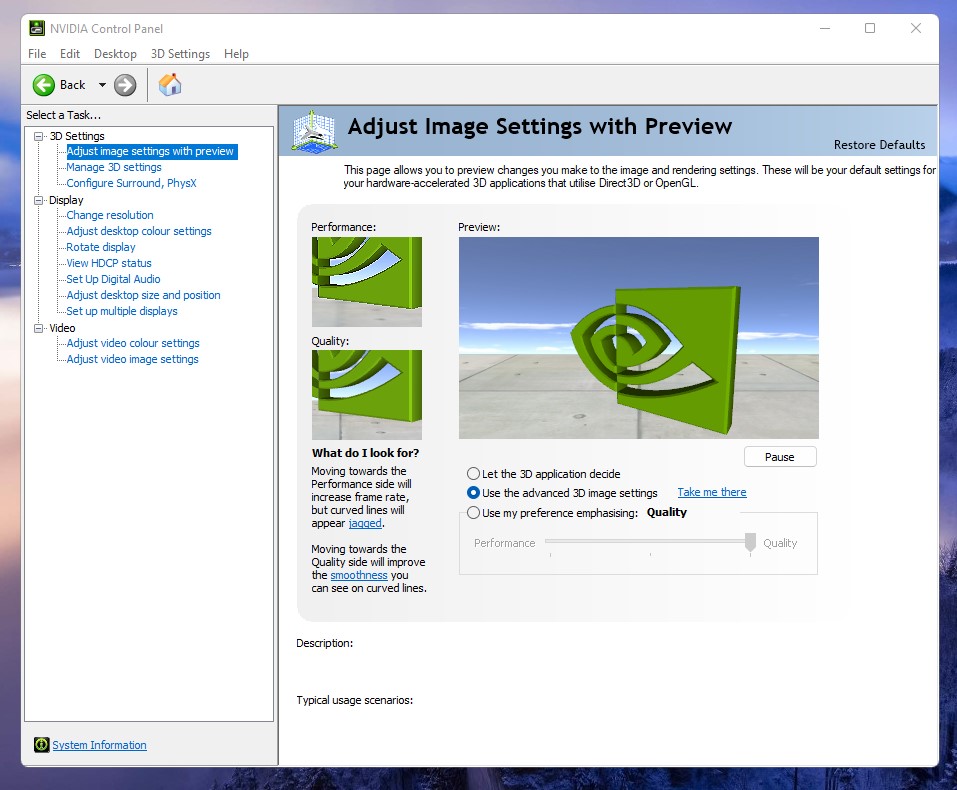
-NVIDIA Control Panel Settings & Manage 3D settings and
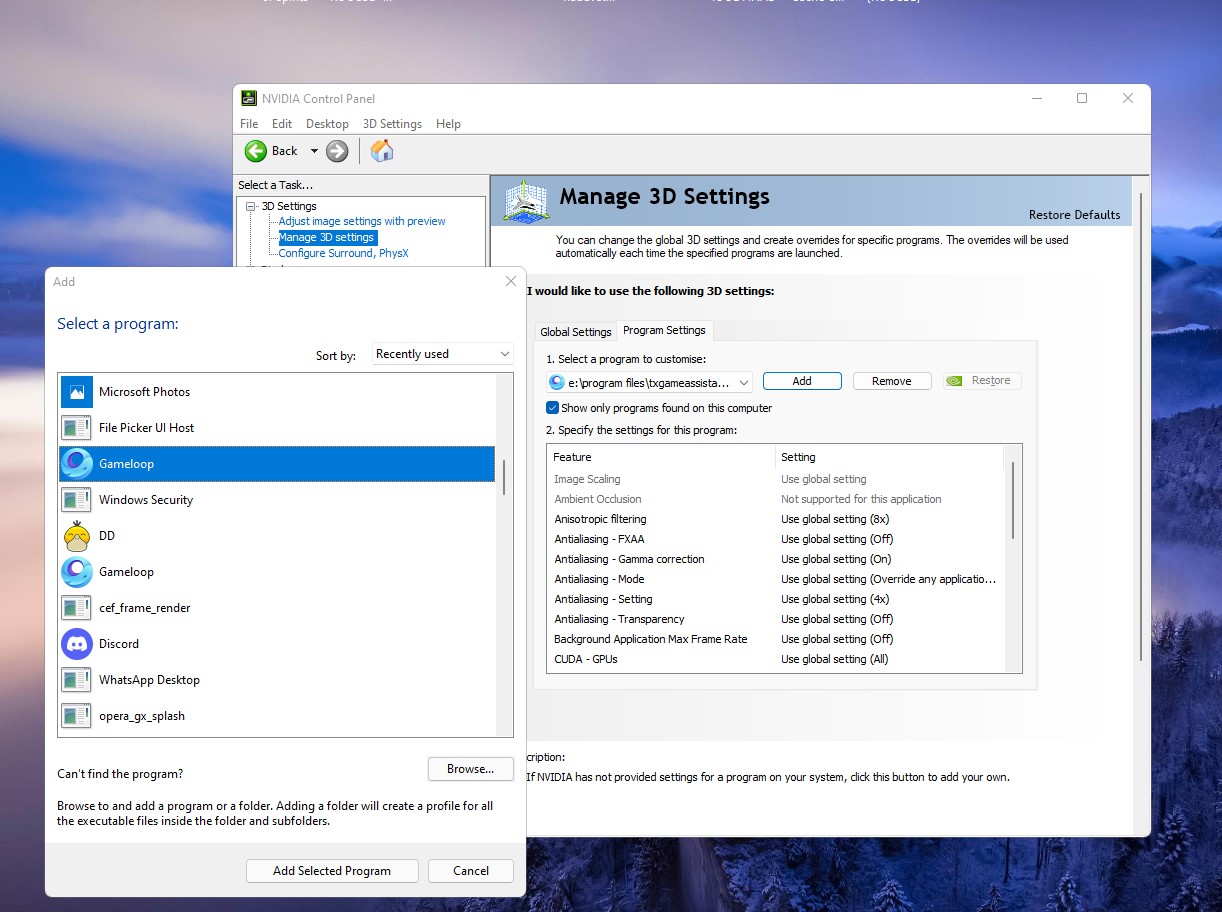
Add Program Settings AppMarket.exe & QMEmulatorService.exe
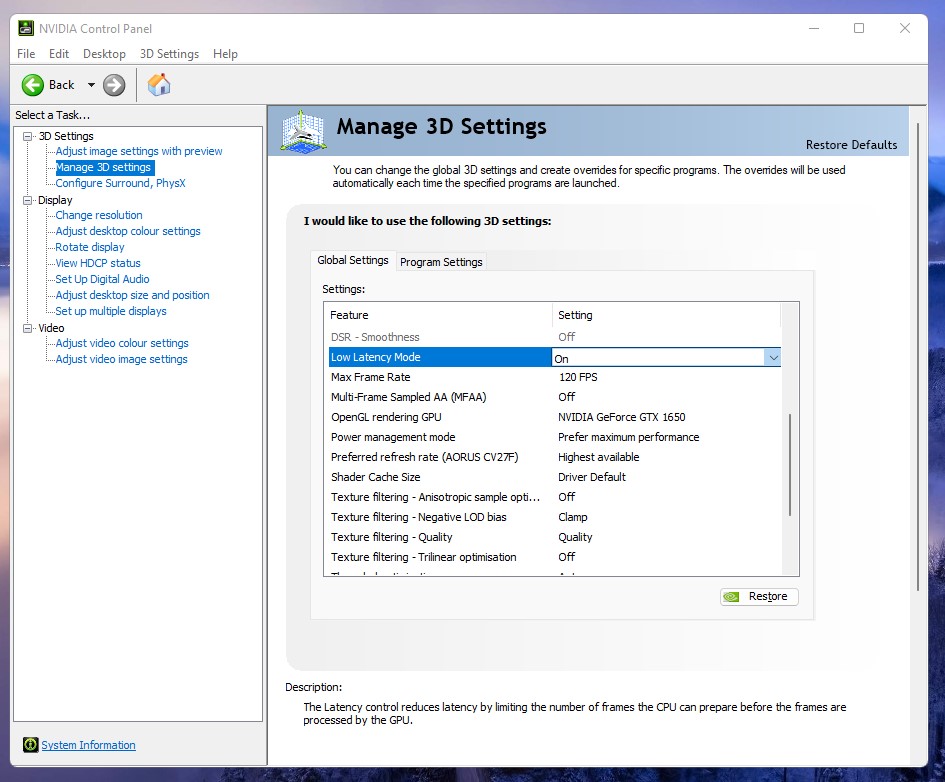
then Global settings under edit and save some features-(Pictures Shown)


- Settings & Display& Grapic
-Custom Options for apps Under Click Browse _Add AppMarket.exe & QMEmulatorService.exe (where you installed game loop located )
- Click Options and Set both file and Save Graphics Performance- High Performance
-NVIDIA Control Panel Settings & Manage 3D settings and
Add Program Settings AppMarket.exe & QMEmulatorService.exe
then Global settings under edit and save some features-(Pictures Shown)
Son düzenleme:


