İnsta ♥ @LazHayalet ♥
Efsane Üye
Steam Game Idler v2.5.21 Saat Kasma Programı 2025
Nasıl Kullanılır?
Steam ve Steam Game Idler programını aynı zamanda açıyoruz.
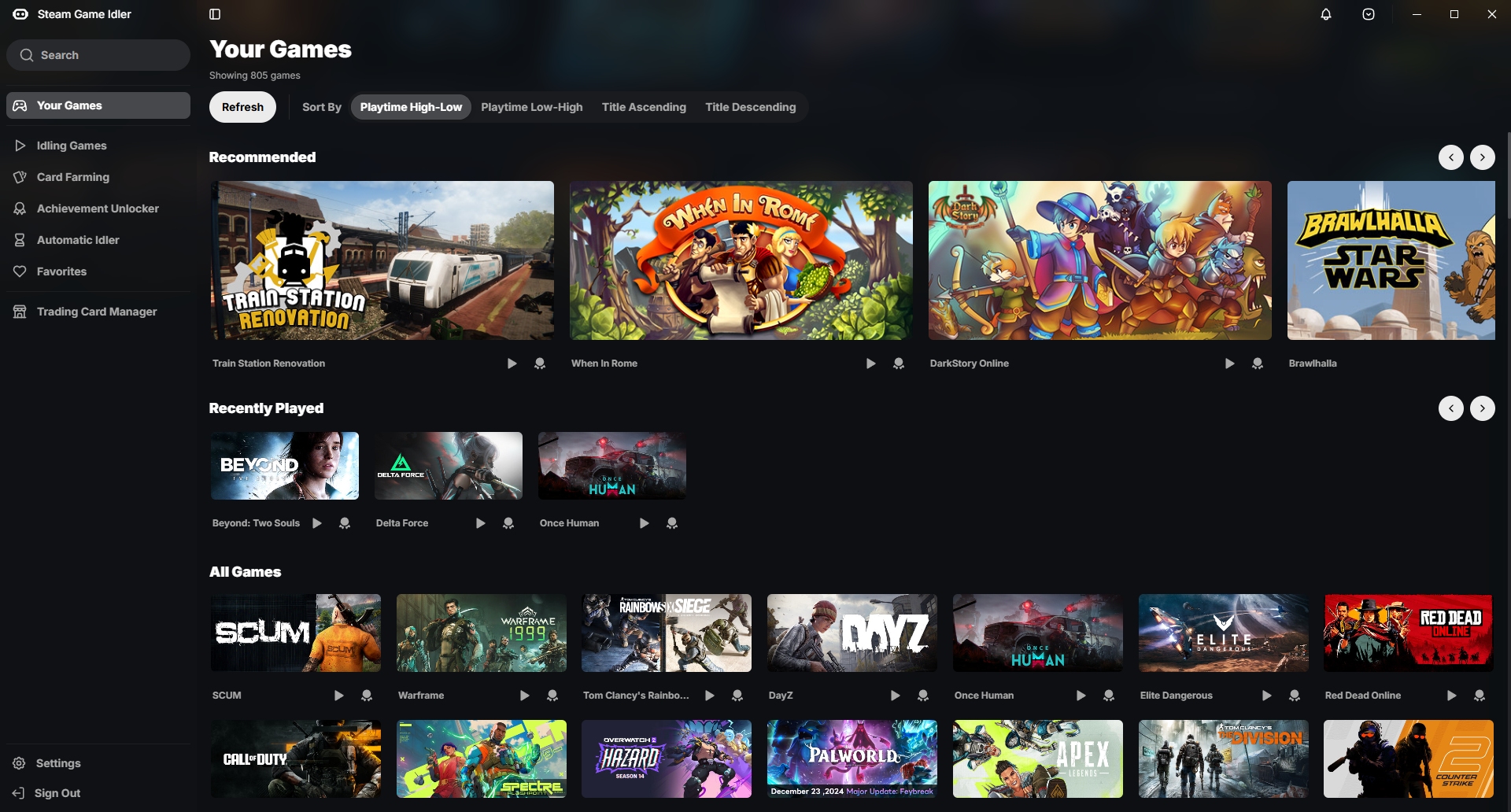
Steam Game Idler programı açtığınızda sizi yönlendirme yaparak adımları söyleyecektir.
Hesabınıza giriş yaptıktan sonra türkçe değilse ayarlar kısmından türkçe yapabilirsiniz.
Program sürekli güncelleme alıyor güncelleme geldiğinde programını sağ üst kısmında aşağıdaya doğru ok işaretine tıklayın yada yeşil simge olacaktır tıklayıp güncelleme yapabilirsiniz.
Program üzerinden kart düşürme, başarı açma gibi diğer özellikleride kullanabilirsiniz.
Bunun yerine altta olan konularıma bakabilirsiniz :
Kart düşürme için : https://memoryhackers.org/konular/steam-idle-master-v1-10-0-2025.193089
Başarı açmak için : https://memoryhackers.org/konular/s...auto-sam-7-0-otomatik-basari-acma-2025.309207
Notlar
Steam Game Idler programının asıl amacı oyunlardaki başarımları kazanmak, kart düşürmek ve saat kasmak içindir.
Bu sayede oyunlar için saat kasabilir, başarımıları açabillir ve kart düşürme yapabilirsiniz.
Ban riski benim ve program yapımcısı sorumluluğunda değildir.
Steam'in desteklediği şekilde Maximum 32 oyunda saat kasma yapabilirsiniz.
Başarım veya kart düşürme esnasinda saat kasmak için oyun eklemesi yapmayın ! Oyunlar çakışacağı için kart, başarım veya saat kasma işlemi gerçekleşmeyebilir.
Fivem oynayanlar için:
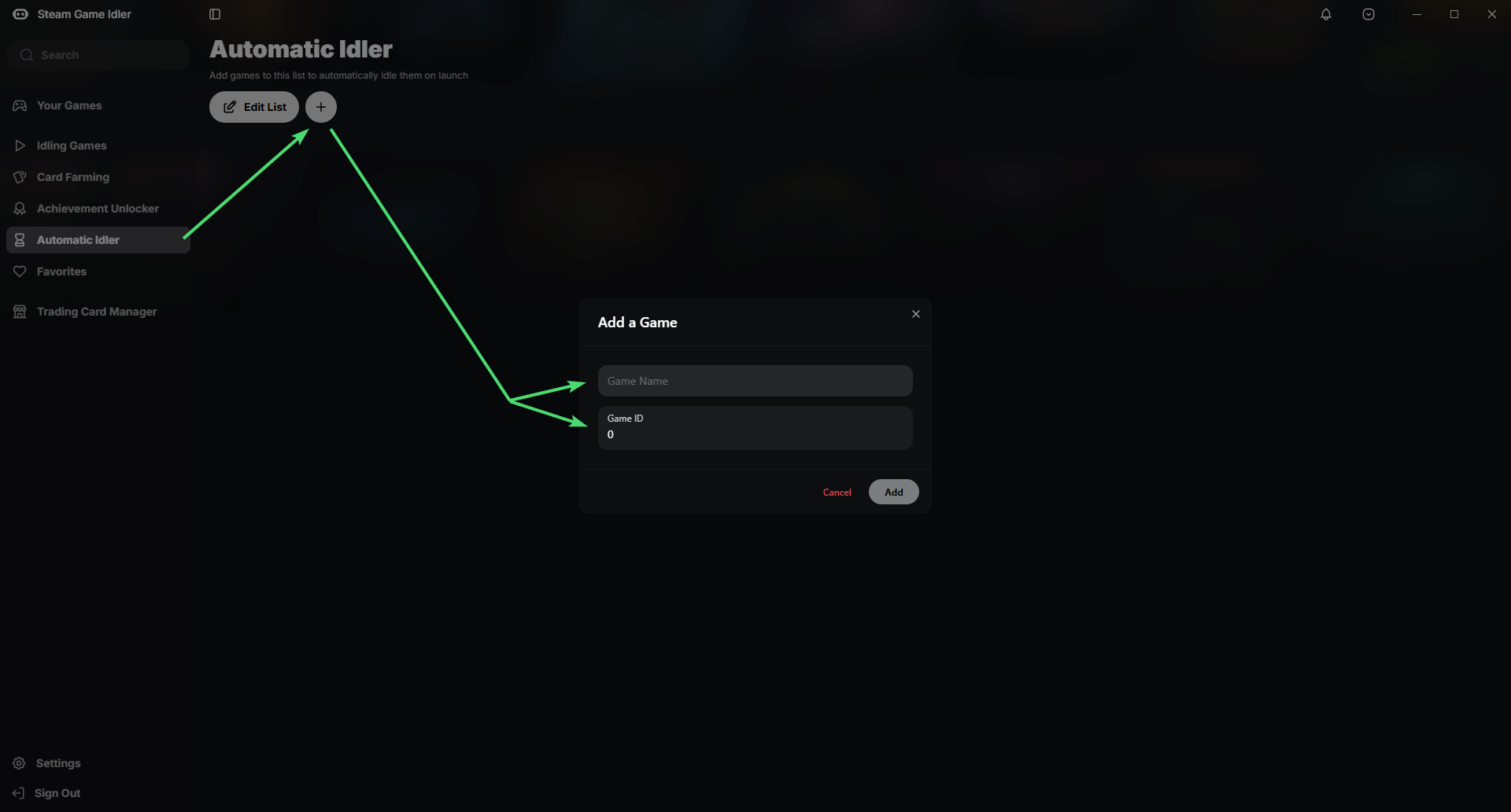
Source SDK Base 2007'de saat yapmak için resimdeki adımları izleyin.
Oyun adı alanına: Source SDK Base 2007
Oyun ID kısmına: 218
yazın ve ekle deyin.
Çalıştığı Sistemler
Windows 10 [ÇALIŞIYOR]
Windows 11 [ÇALIŞIYOR]
diğer sistemlerde test etmedim.

Eğer aşağıdakilerden birine sahip değilseniz, indirin ve kurun
isimlerin üstüne tıklayıp orjinal indirme linkine gidebilirsiniz
Nasıl İndirilir?
Steam Game Idler v2.5.21 sürümündeki Assets kısmından
Programın Yapımcısı / Program Producer :
@zevnda
Nasıl Kullanılır?
Steam ve Steam Game Idler programını aynı zamanda açıyoruz.
Steam Game Idler programı açtığınızda sizi yönlendirme yaparak adımları söyleyecektir.
Hesabınıza giriş yaptıktan sonra türkçe değilse ayarlar kısmından türkçe yapabilirsiniz.
Program sürekli güncelleme alıyor güncelleme geldiğinde programını sağ üst kısmında aşağıdaya doğru ok işaretine tıklayın yada yeşil simge olacaktır tıklayıp güncelleme yapabilirsiniz.
Program üzerinden kart düşürme, başarı açma gibi diğer özellikleride kullanabilirsiniz.
Bunun yerine altta olan konularıma bakabilirsiniz :
Kart düşürme için : https://memoryhackers.org/konular/steam-idle-master-v1-10-0-2025.193089
Başarı açmak için : https://memoryhackers.org/konular/s...auto-sam-7-0-otomatik-basari-acma-2025.309207
Notlar
Steam Game Idler programının asıl amacı oyunlardaki başarımları kazanmak, kart düşürmek ve saat kasmak içindir.
Bu sayede oyunlar için saat kasabilir, başarımıları açabillir ve kart düşürme yapabilirsiniz.
Ban riski benim ve program yapımcısı sorumluluğunda değildir.
Steam'in desteklediği şekilde Maximum 32 oyunda saat kasma yapabilirsiniz.
Başarım veya kart düşürme esnasinda saat kasmak için oyun eklemesi yapmayın ! Oyunlar çakışacağı için kart, başarım veya saat kasma işlemi gerçekleşmeyebilir.
Fivem oynayanlar için:
Source SDK Base 2007'de saat yapmak için resimdeki adımları izleyin.
Oyun adı alanına: Source SDK Base 2007
Oyun ID kısmına: 218
yazın ve ekle deyin.
Çalıştığı Sistemler
Windows 10 [ÇALIŞIYOR]
Windows 11 [ÇALIŞIYOR]
diğer sistemlerde test etmedim.
Bağlantıları görmek için lütfen
Giriş Yap
Bağlantıları görmek için lütfen
Giriş Yap
Eğer aşağıdakilerden birine sahip değilseniz, indirin ve kurun
isimlerin üstüne tıklayıp orjinal indirme linkine gidebilirsiniz
Bağlantıları görmek için lütfen
Giriş Yap
Bağlantıları görmek için lütfen
Giriş Yap
Nasıl İndirilir?
Steam Game Idler v2.5.21 sürümündeki Assets kısmından
Bağlantıları görmek için lütfen
Giriş Yap
bağlantısına tıklayarak indirebilirsiniz.Steam Game Idler v2.5.21 Playtime Program 2025
How to use it?
Open Steam and Steam Game Idler at the same time.
When you open the Steam Game Idler program, it will guide you through the steps.
After logging in to your account, if it is not in English, you can make it in English in the settings section (other languages have been added to the program, if there is a language you want, you can request your own language by writing in the comments section under this topic or by clicking Help SGI translate in the settings section on the program).
The program is constantly receiving updates, when an update is available you can update by clicking on the down arrow at the top right of the program or by clicking on the green icon.
You can also use other features in the program such as downgrading cards and unlocking achievements.
Instead, you can look at my topics at the bottom:
For card downgrade : https://memoryhackers.org/konular/steam-idle-master-v1-10-0-2025.193089
To unlock achievement : https://memoryhackers.org/konular/s...auto-sam-7-0-otomatik-basari-acma-2025.309207
Notes
The main purpose of the Steam Game Idler program is to unlock achievements, drop cards, and clock hours in games.
This way you can save hours, unlock achievements and drop cards for games.
The risk of banning is not my responsibility and neither is the responsibility of the program maker.
You can clock up a maximum of 32 games as supported by Steam.
Do not add games for clocking during achievements or card drops! Games will overlap and card, achievement or clock reduction may not work.
For those who play Fivem:
follow the steps in the picture to make a clock in Source SDK Base 2007.
In the game name field : Source SDK Base 2007
Game ID part : 218
type and say add
Supported Systems
Windows 10 [WORKING]
Windows 11 [WORKING]
I haven't tested it on other systems.
Download & Virüstotal
If you do not have the ones below, download and install them,
you can click on the names and go to the original download link
How to Download?
You can download Steam Game Idler v2.5.21 by clicking the
How to use it?
Open Steam and Steam Game Idler at the same time.
When you open the Steam Game Idler program, it will guide you through the steps.
After logging in to your account, if it is not in English, you can make it in English in the settings section (other languages have been added to the program, if there is a language you want, you can request your own language by writing in the comments section under this topic or by clicking Help SGI translate in the settings section on the program).
The program is constantly receiving updates, when an update is available you can update by clicking on the down arrow at the top right of the program or by clicking on the green icon.
You can also use other features in the program such as downgrading cards and unlocking achievements.
Instead, you can look at my topics at the bottom:
For card downgrade : https://memoryhackers.org/konular/steam-idle-master-v1-10-0-2025.193089
To unlock achievement : https://memoryhackers.org/konular/s...auto-sam-7-0-otomatik-basari-acma-2025.309207
Notes
The main purpose of the Steam Game Idler program is to unlock achievements, drop cards, and clock hours in games.
This way you can save hours, unlock achievements and drop cards for games.
The risk of banning is not my responsibility and neither is the responsibility of the program maker.
You can clock up a maximum of 32 games as supported by Steam.
Do not add games for clocking during achievements or card drops! Games will overlap and card, achievement or clock reduction may not work.
For those who play Fivem:
follow the steps in the picture to make a clock in Source SDK Base 2007.
In the game name field : Source SDK Base 2007
Game ID part : 218
type and say add
Supported Systems
Windows 10 [WORKING]
Windows 11 [WORKING]
I haven't tested it on other systems.
Download & Virüstotal
Bağlantıları görmek için lütfen
Giriş Yap
Bağlantıları görmek için lütfen
Giriş Yap
If you do not have the ones below, download and install them,
you can click on the names and go to the original download link
Bağlantıları görmek için lütfen
Giriş Yap
Bağlantıları görmek için lütfen
Giriş Yap
How to Download?
You can download Steam Game Idler v2.5.21 by clicking the
Bağlantıları görmek için lütfen
Giriş Yap
link from the Assets section in the version.Programın Yapımcısı / Program Producer :
@zevnda
Son düzenleme: