
Onaylı Üye
you are my life saver i try to find this issue on various sites but not get true option but t.youAs the game is growing exponentially, There are some errors occuring with the game.
The new error which has occured recently due to server load is the VAL 43 error.
There is no specific way to fix as there are several methods going around that promises to work 100%.
I’am not willing here to promise that this method will work 100% but it has worked for me.
There are two methods, if and else, as one is simple and other must be followed carefully.
METHOD 1 -
If after clicking on Valorant icon you are viewing below image then you are good. If you have signed in and had clicked on stay signed in then you must follow METHOD 2.
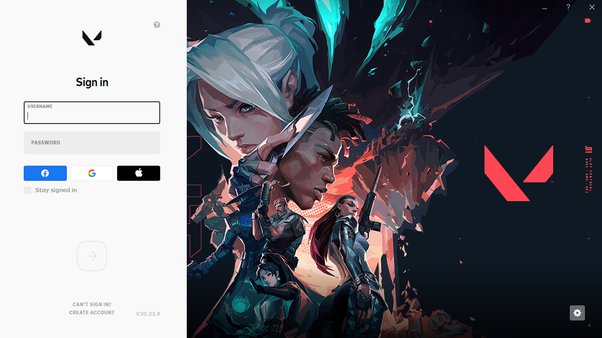
- In this you must sign in several times, Like for 4–5 times because due to some heavy loads at beginning after the update, You must see the VAL 43 error and you are been requested to restart the game client.
- If not then upgrade your account. You can see on the white side valorant symbol. Beside it there is a question mark. After moving the cursor you can see Upgrade Your Account like below image.
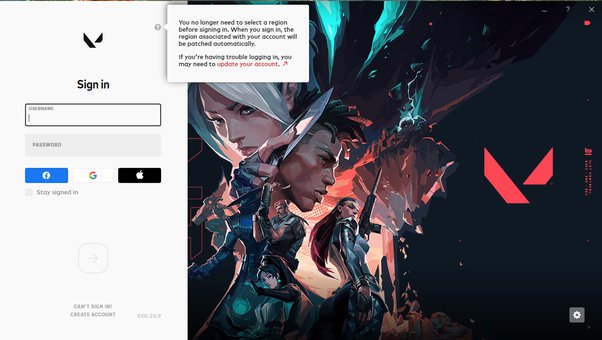
Then after upgrading you can login few times till you can enter the game. It can take several times as mentioned above.
METHOD 2 -
Now if you have already loged in and clicked the check where Stay signed in is written then you have to go back to Riot client login page to start from the beginning. These steps are the only way to go to the beginning by deleting RiotClientPrivacySettings.
STEP 1 -
In the homepage click windows button + r, and write %AppData% and hit enter.
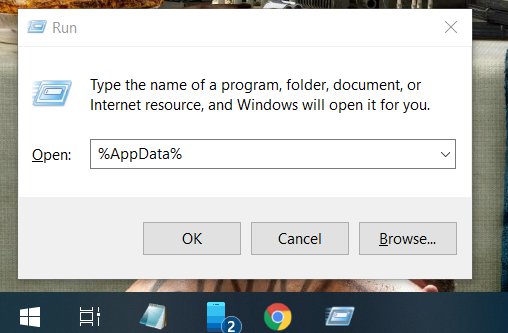
STEP 2 -
After entering, You can a page like this.
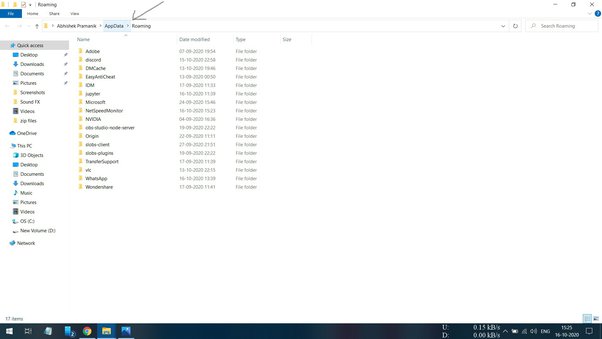
As we can see AppData as pointed with arrow mark. Click on that icon.
After clicking we can see.
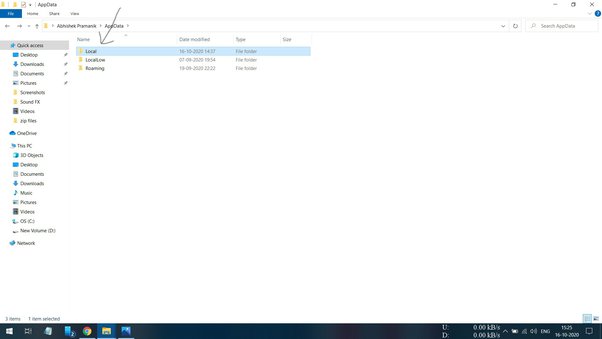
Now, Next we click on Local file.
Now we can see.
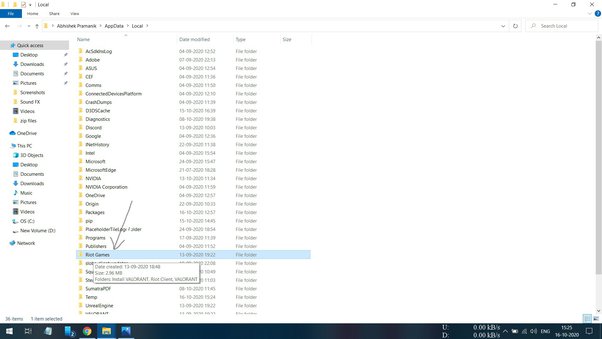
Now, Click on Riot Games files.
After clicking we can see.
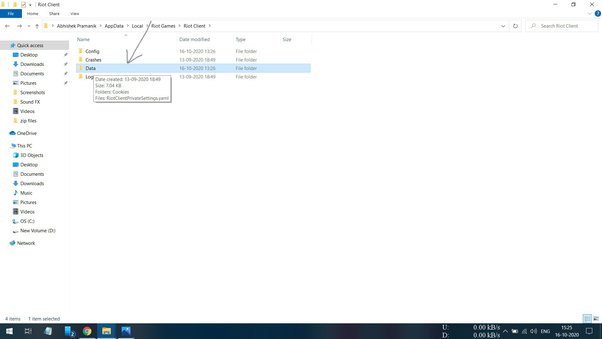
Now, We can click on Data file.
After clicking we can see below image.
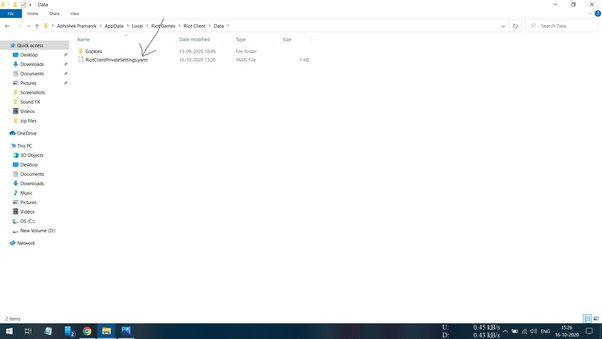
Here we will delete the RiotClientPrivacySettings.yaml file and our settings will be reverted to beginning.
After Riot Client homepage appears, Upgrade your account and log in several times.
I Hope this will work.


