Onaylı Üye
Nao entendi como faço para utilizar o script

no momento nãoNao ta funcionando entao?
Tem que injetar com o lol fechado, ai depois que injeta pode abrir o lol normalmas eu n entendi como injeta ele
Post automatically merged:
antes de abrir o lol? no launcher? no game?
antes voce injeta, na hora que o game abrir vai dar uns 3 apitomas eu n entendi como injeta ele
Post automatically merged:
antes de abrir o lol? no launcher? no game?
Entao mano tem um tutorial ensinando aqui mesmo no próprio fórummas eu n entendi como injeta ele
Post automatically merged:
antes de abrir o lol? no launcher? no game?
Nesse exato momento o script ta atualizando e não esta disponível, tem que esperarNAO TA FUNCIONANDO NAO ? NAO CONSIGO INJETAR ..FAÇO TODO O PROCESSO ..MAS TA SAINDO DO JOGO QUANDO INJETA
Teve uma att no lol, ele ta crashando quando entra em partida com o hack injetado, tem que aguardar atualizarNAO TA FUNCIONANDO NAO ? NAO CONSIGO INJETAR ..FAÇO TODO O PROCESSO ..MAS TA SAINDO DO JOGO QUANDO INJETA
NAO, espera atualizarNAO TA FUNCIONANDO NAO ? NAO CONSIGO INJETAR ..FAÇO TODO O PROCESSO ..MAS TA SAINDO DO JOGO QUANDO INJETA
nao achei o post, pode mandar o link?Entao mano tem um tutorial ensinando aqui mesmo no próprio fórum
https://memoryhackers.org/konular/how-the-cheat-using-system-works.146098/Tinha um video também porém o canal desse video foi derrubado infelizmente
cara nao aconselho usar,pois se o anti-cheat do lol atualizar,ou até mesmo o lol,passar a ser detectavel,entao meu conselho é esperar,caso queira mesmo assim me chame no privado.nao achei o post, pode mandar o link?
Nao entendi como faço para utilizar o script

Okay, first you have to turn off your anti-virus, then open the XFProject, after that go to the [Hack Center UI] here at the to right corner, look for the League of Legends Script, click there and then while you are in the League of Legends page in the Hack Center UI click were it says LazySharp, the click YÜKLE, it will open the script, wait for it to load, after you hear a "Beep" then the script is ready to go. The last thing is open the League Client, and use the script on your account (Not your main account unless you want it to be banned).
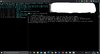
did not make a beep, after I clicked on YÜKLE, XFProject showed this text and nothing else happens. Should I open the lol client after injecting into XFProject?