Eski bir web tarayıcısı kullanıyorsunuz. Bu veya diğer siteleri görüntülemekte sorunlar yaşayabilirsiniz.. Tarayıcınızı güncellemeli veya alternatif bir tarayıcı kullanmalısınız.
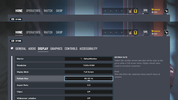
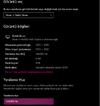
Merhaba arkadaşlar dün yeni bir abra a7 modeli bilgisayar aldım 144 hz olarak aldım ama oyunda hala 60 hz gözüküyor bunun nedeni nedir acaba bilen varsa lütfen yardım edebilir mi.
(Alıntıdır)
Close the game, open C:\Users\<username>\Documents\My Games\Rainbow Six - Siege\<bunch of random char. folder>\gamesettings.ini
Set these values manually:
Monitor=0 (Monitor=0 if it's "monitor 1" or Monitor=1 if it's "monitor 2" according to windows display adapters)
RefreshRate=144.000000 (Mine is 144hz, set your native refresh rate if it's different than mine.)
WindowMode=0
AspectRatio=0
Save file and launch the game.
I had the same issue and this is what I did to fix it.
(Alıntıdır)
Close the game, open C:\Users\<username>\Documents\My Games\Rainbow Six - Siege\<bunch of random char. folder>\gamesettings.ini
Set these values manually:
Monitor=0 (Monitor=0 if it's "monitor 1" or Monitor=1 if it's "monitor 2" according to windows display adapters)
RefreshRate=144.000000 (Mine is 144hz, set your native refresh rate if it's different than mine.)
WindowMode=0
AspectRatio=0
Save file and launch the game.
I had the same issue and this is what I did to fix it.
If it doesnt fix, delete gamesettings.ini, launch the game, let it auto-detect the configuration. Close the game and repeat the above.
(Alıntıdır)
Close the game, open C:\Users\<username>\Documents\My Games\Rainbow Six - Siege\<bunch of random char. folder>\gamesettings.ini
Set these values manually:
Monitor=0 (Monitor=0 if it's "monitor 1" or Monitor=1 if it's "monitor 2" according to windows display adapters)
RefreshRate=144.000000 (Mine is 144hz, set your native refresh rate if it's different than mine.)
WindowMode=0
AspectRatio=0
Save file and launch the game.
I had the same issue and this is what I did to fix it.
If it doesnt fix, delete gamesettings.ini, launch the game, let it auto-detect the configuration. Close the game and repeat the above.