
Seçkin Üye
First of all, I couldn't find the right section dealing with AHK codes. So I'm posting here, if I'am in the wrong session, I apologize.
I'm trying to make this code work, with the idea of him pressing the left mouse button, whenever the middle of the screen is in a specific color.
Im using AutoHotKey.
The game in question is Red Dead, and here's the code.
--------------------------------------------------------------------
Trigger:
{
Loop
{
if (Mod(counter_C, 2) = 0)
{
return
}
if (WinActive("ahk_exe RDR2.exe"))
{
if (GetKeyState("RButton", "P"))
{
Loop
{
PixelSearch, outx, outy, 940, 560, 940, 560, 0x2e10f2, 5, Fast
if (outx)
{
click
}
Sleep, 1
if (GetKeyState("RButton", "T"))
{
break
}
}
}
else
{
Sleep, 100
}
Sleep, 5
}
else
{
Sleep, 800
}
}
}
return
_________________________________________
I'll try to add the crosshair image I want you to identify. Please, can someone help me. I can't get this to work on Red Dead, it only works on other games.
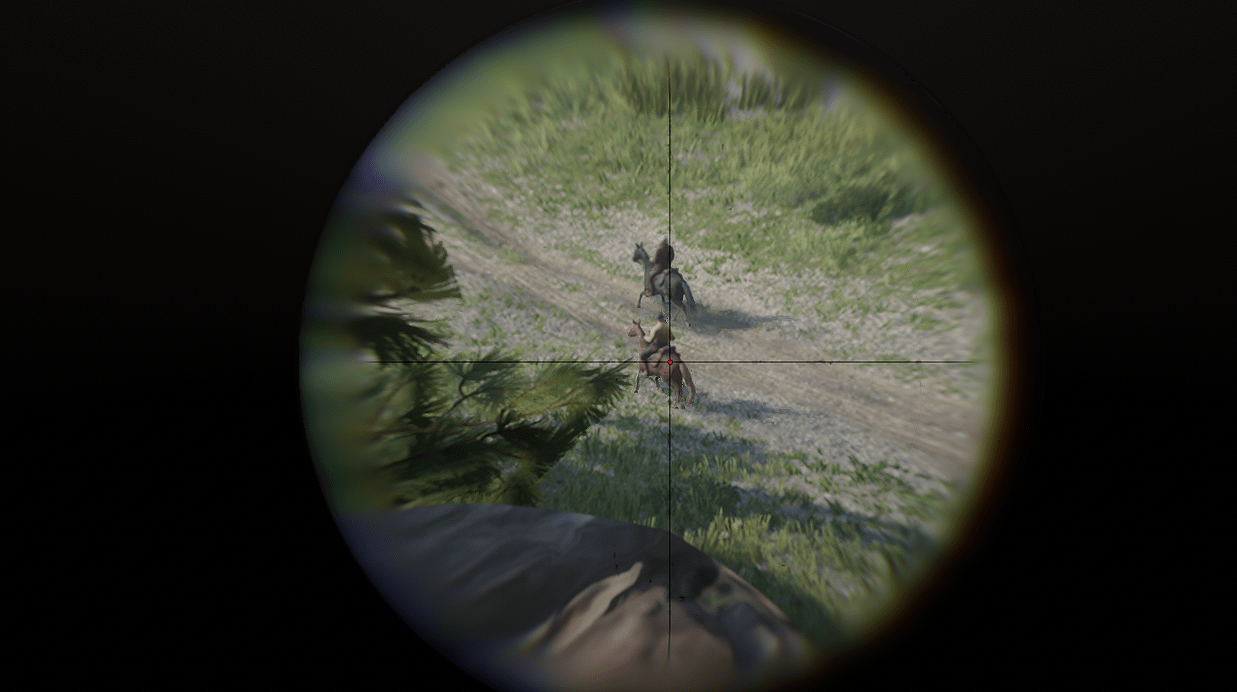
I'm trying to make this code work, with the idea of him pressing the left mouse button, whenever the middle of the screen is in a specific color.
Im using AutoHotKey.
The game in question is Red Dead, and here's the code.
--------------------------------------------------------------------
Trigger:
{
Loop
{
if (Mod(counter_C, 2) = 0)
{
return
}
if (WinActive("ahk_exe RDR2.exe"))
{
if (GetKeyState("RButton", "P"))
{
Loop
{
PixelSearch, outx, outy, 940, 560, 940, 560, 0x2e10f2, 5, Fast
if (outx)
{
click
}
Sleep, 1
if (GetKeyState("RButton", "T"))
{
break
}
}
}
else
{
Sleep, 100
}
Sleep, 5
}
else
{
Sleep, 800
}
}
}
return
_________________________________________
I'll try to add the crosshair image I want you to identify. Please, can someone help me. I can't get this to work on Red Dead, it only works on other games.
Moderatörün son düzenlenenleri:


