Çözüldü ws reborn not working in Windows 11 22H2

Durum
Üzgünüz bu konu cevaplar için kapatılmıştır...
Onaylı Üye
Katılım
28 Mar 2023
Mesajlar
77
Tepki puanı
7
Ödüller
1
Yaş
25
Sosyal
3 HİZMET YILI
Hi everyone,

I'm having some trouble with ws reborn in Windows 11 version 22H2. The program doesn't seem to be working properly, and it's invisible on the screen.
Is there's someway to make it work and draw in the screen?
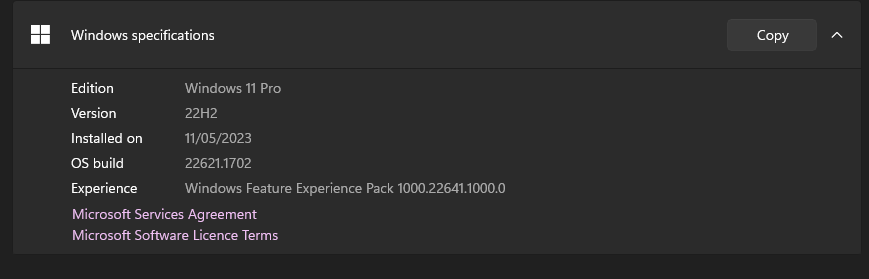
1683885078923.png
 
💧💧💧💧💧
Süper Üye
Katılım
23 Eki 2022
Mesajlar
606
Çözümler
6
Tepki puanı
79
Ödüller
3
3 HİZMET YILI
Hi everyone,

I'm having some trouble with ws reborn in Windows 11 version 22H2. The program doesn't seem to be working properly, and it's invisible on the screen.
Is there's someway to make it work and draw in the screen?
Ekli dosyayı görüntüle 91369
Windows 11 has support but it seems to be unstable, try to install the full driver + enable mode dx9. If the problem persists, it is recommended to install win 10 21h2
 
Onaylı Üye
Katılım
28 Mar 2023
Mesajlar
77
Tepki puanı
7
Ödüller
1
Yaş
25
Sosyal
3 HİZMET YILI
Windows 11 has support but it seems to be unstable, try to install the full driver + enable mode dx9. If the problem persists, it is recommended to install win 10 21h2
Thanks for the reply, But I have two questions what you mean by re installing the full driver? and how to enable direct x9 mode?
 
Banlı Üye
Katılım
5 Şub 2022
Mesajlar
1,702
Çözümler
38
Tepki puanı
258
Ödüller
3
Yaş
23
4 HİZMET YILI
Thanks for the reply, But I have two questions what you mean by re installing the full driver? and how to enable direct x9 mode?
In leagu on legends game setting and just close game and resinject and also put game on bordelles mode should fix and show drawing if still not fixed ping me or message me dm
 
Çözüm
Onaylı Üye
Katılım
28 Mar 2023
Mesajlar
77
Tepki puanı
7
Ödüller
1
Yaş
25
Sosyal
3 HİZMET YILI

Ekli dosyalar

  • 1683888370327.png
    1683888370327.png
    998 KB · Görüntüleme: 55
Durum
Üzgünüz bu konu cevaplar için kapatılmıştır...

Benzer Konular

Üst