Eski bir web tarayıcısı kullanıyorsunuz. Bu veya diğer siteleri görüntülemekte sorunlar yaşayabilirsiniz.. Tarayıcınızı güncellemeli veya alternatif bir tarayıcı kullanmalısınız.
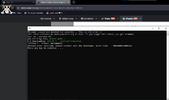
ÇözüldüUnknown error occurred, please contact with the developer. Error Code: - 00000000C0000603
(Unzip it to the folder, then run the install_all.bat script as administrator.)
2- Clean %temp% , temp and prefetch folders.
3-Then restart your computer and if you have Adblocker, Windows Security, Antivirus programs, Riot Vanguard and FaceIT Anticheat, turn them off and try again.
If your windows version is 22H2, try again by downgrading to 21H2.
(Unzip it to the folder, then run the install_all.bat script as administrator.)
2- Clean %temp% , temp and prefetch folders.
3-Then restart your computer and if you have Adblocker, Windows Security, Antivirus programs, Riot Vanguard and FaceIT Anticheat, turn them off and try again.
If your windows version is 22H2, try again by downgrading to 21H2.
(Unzip it to the folder, then run the install_all.bat script as administrator.)
2- Clean %temp% , temp and prefetch folders.
3-Then restart your computer and if you have Adblocker, Windows Security, Antivirus programs, Riot Vanguard and FaceIT Anticheat, turn them off and try again.
If your windows version is 22H2, try again by downgrading to 21H2.