Süper Üye


Not so much but 50 percentage Solve. I think I have to restore old registry key and force format.Check and remove the files you have allowed in antivirus or Windows Defender, one by one, in the history and quarantine.

For Pubg Dword hack?? does it work??Hello
Delete the contents of these folders, skip those that are not deleted.
Run > Delete everything inside the Temp folder.
Run > Delete everything inside the Prefetch folder.
Run > Delete everything inside the%temp% folder.
Run > Delete everything inside the Recent folder.
If you used LOL Script Dword Wsreborn, clear the logs in the folders below.
'C:\\rogramDataRiot Games',
'C:\\ogramDataRiot Gamesmachine.cfg',
'C:\\Riot GamesLeague of LegendsConfig',
'C:\\Riot GamesLeague of LegendsGünlükler',
'C:\\Riot GamesLeague of Legendsdebug.log',
'C:\\Riot GamesRiot ClientUX
atives_blob.bin',
'C:\\Riot GamesRiot ClientUXsnapshot_blob.bin',
'C:\\Riot GamesRiot ClientUXv8_context_snapshot.bin',
'C:\\Riot GamesRiot ClientUXicudtl.dat',
For Pubg Dword, just delete the contents of these folders.For Pubg Dword hack?? does it work??

have you can try to delete through register ? you can find keyword delete itHow to remove hack used info from Last activity View app.
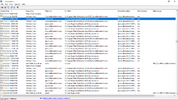
Can I remove that MH loader injection details??
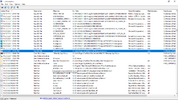
Screenshot is attached plz look on this.
See the highlighted one.
I Have deleted through registery too but like it shows all details too like from 2021,2022 too.have you can try to delete through register ? you can find keyword delete it
These things I do daily before loading MH. And in past also I have formatted pc but those activity was from 2019 too so I don't think formatting will solve.For Pubg Dword, just delete the contents of these folders.
Run > Delete everything inside the Temp folder.
Run > Delete everything inside the Prefetch folder.
Run > Delete everything inside the%temp% folder.
Run > Delete everything inside the Recent folder.
If this is not enough for you, you can format your computer.
Scan your computer with anti virus programsI Have deleted through registery too but like it shows all details too like from 2021,2022 too.
These things I do daily before loading MH. And in past also I have formatted pc but those activity was from 2019 too so I don't think formatting will solve.
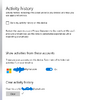
I was able to clear app past history data from clear activity history system settings from Microsoft account, then it stopped recording recent activity but there are pervious activities of 2023 left which was recorded before I unchecked activity history. But still there are traces. See highlighted one we can still see traces.Scan your computer with anti virus programs
Use the effective 'Loaris Trojan Remover' program.
You can use Malwarebytes program.
You can use Microsoft's own software 'MRT'.
Download and run Kaspersky as anti-virus software.
Follow the methods explained in the video.
Not so much but 50 percentage Solve. I think I have to restore old registry key and force format.Check and remove the files you have allowed in antivirus or Windows Defender, one by one, in the history and quarantine.