TPM 2.0 for Valorant

Onaylı Üye
Katılım
13 Mar 2023
Mesajlar
97
Tepki puanı
10
Ödüller
2
Yaş
23
3 HİZMET YILI
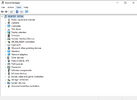
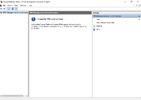
hello there i have a problem with enabling tpm 2.0 it is not enabling and in bios i have it enabled but there is a problem it is not enabled in tpm.msc and in device manger i cant find security devices . thanks for helping

(i have it enabled in bios for sure)
 

Ekli dosyalar

  • aaaaa.PNG
    aaaaa.PNG
    13 KB · Görüntüleme: 95
  • aaaaa2.PNG
    aaaaa2.PNG
    12.6 KB · Görüntüleme: 96
Fortis Fortuna Adiuvat
Seçkin Üye
Katılım
27 May 2023
Mesajlar
311
Tepki puanı
20
Ödüller
2
Yaş
25
3 HİZMET YILI
you need to enable intel TTP from bios it might work it might not try it
 
Uzman Üye
Katılım
11 Haz 2023
Mesajlar
222
Tepki puanı
5
Ödüller
1
Yaş
27
2 HİZMET YILI
u need it to eneable in your bios try to search in yt : turn on tpm and your mainboard brand
 
Onaylı Üye
Katılım
25 Ağu 2023
Mesajlar
52
Tepki puanı
7
Ödüller
1
Yaş
29
2 HİZMET YILI
Go to the nearest maintenance store
 
Onaylı Üye
Katılım
14 Ocak 2024
Mesajlar
65
Tepki puanı
0
Yaş
31
2 HİZMET YILI
check your processor's specification, if it has tpm 2.0
 
Üye
Katılım
31 May 2019
Mesajlar
40
Tepki puanı
2
Ödüller
5
Yaş
43
7 HİZMET YILI
To fix a Valorant TPM 2.0 error, you can enable TPM 2.0 and Secure Boot from your PC's BIOS or UEFI settings.

To enable TPM 2.0, you can:

  1. Press Windows Key + R
  2. Type tpm.msc and press Enter
  3. Check the status
  4. If it's enabled/ready for use, you're good to go
You can also check if TPM is supported on your system by following these steps:

  1. Press Delete when you boot up, and go into BIOS
  2. Press F3 to load optimized default settings and press F10 to save it
  3. Go to the security menu and choose secure boot and set as Enable
  4. If TPM is supported on your system, you will get a new window pop up and the status will read “The TPM is ready for use”
  5. Make sure that the specification version is 2.0 in the TPM Manufacturing Information window
Other reasons why Valorant might not be working on Windows 11 include:

  • Outdated graphics drivers
  • Problems with system compatibility
  • Corrupted game files
  • Third-party anti-virus programs
  • A server breakdown or bug
You can also take a look at this video:


48s

Techy Druid
YouTube · 26 Nov 2023

How to fix this version of Vanguard requires TPM 2.0 in Valorant?
How do I enable TPM in Riot Vanguard?
Why is Riot Vanguard not working on Windows 11?
 
Stay at Home Superstar
Donator
Katılım
16 Mar 2018
Mesajlar
367
Tepki puanı
23
Ödüller
10
Yaş
33
Sosyal
8 HİZMET YILI
try googling your motherboard model and brand and search how to enable TPM, enable secure boot to, and make sure you're in UEFI
 
𝕄𝕒𝕤𝕥𝕖𝕣 𝕠𝕗 𝕎𝕒𝕥𝕔𝕙
Ultra Üye
Katılım
20 May 2020
Mesajlar
1,954
Tepki puanı
261
Ödüller
9
6 HİZMET YILI
guys simple solution if u want i can tell first like and comment down
 
Onaylı Üye
Katılım
25 Haz 2021
Mesajlar
61
Tepki puanı
0
Ödüller
4
Yaş
25
4 HİZMET YILI
Playing Valorant will need to enable TPM 2.0 and secure boot under windows 11 OS, you have to check that your motherboard is support TPM 2.0 system. (NOTE: If your system unable to support TPM2.0, the only way that you can play Valorant is change your windows to older version as windows 10
 
Üst