Çözüldü How does cheat engine use "FC64.dll"+02D68C88 to find the correct memory address

Durum
Üzgünüz bu konu cevaplar için kapatılmıştır...
Onaylı Üye
Katılım
10 Eyl 2022
Mesajlar
58
Tepki puanı
1
Ödüller
3
3 HİZMET YILI
I am spending my spare time as a student to learning game hacking first I learned cheat engine I knew some c++ so I started learning assembly lang too


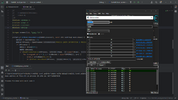
so I want to create a c++ program that find the correct memory location using "FC64.dll"+02D68C88 and then with offset to move through multilevel pointer but I cant understand how can I find the address for

“FC64.dll”

Here’s what I learn so for please correct me if am wrong with anything

I know cheat engine find the address for “FC64.dll” and adds it with the offset "02D68C88" = "FC64.dll"+02D68C88 and use offset to find the real memory address

I am testing with far cry 4

So can some some help me with this problem

Does any one knows how this works
 

Ekli dosyalar

  • Screenshot (135).png
    Screenshot (135).png
    17.5 KB · Görüntüleme: 47
Çözüm
Potential Causes and Fixes:

  1. Cheat Engine Uses Multilevel Pointers:
    • One common reason the addresses are different is that Cheat Engine typically works with multilevel pointers. This means the base address plus a single offset (0x02D68C88) might only be the first step.
    • In your code, you're currently calculating the address by adding one offset directly to the base address. However, if this is a multilevel pointer, you'd need to dereference the pointer at each level, following additional offsets.
To fix this, you should:

    • Add each level's offset and dereference the pointer before moving to the next offset.
  1. Pointer Dereferencing:
    • When working with multilevel...
Cloud Rocket
Seçkin Üye
Katılım
13 Ağu 2022
Mesajlar
385
Çözümler
8
Tepki puanı
88
Ödüller
3
3 HİZMET YILI

General Steps:​

  1. Understanding base address and offsets:
    • The FC64.dll has a base address that varies with each execution because of ASLR (Address Space Layout Randomization).
    • The cheat engine adds the initial offset (02D68C88) to the DLL's base address (i.e., FC64.dll + 02D68C88) to find the initial memory location.
    • From this base, you need to follow other offsets (multilevel pointers) to find the final memory address you want to modify.
  2. Finding the base address of the DLL:
    • To find the base address of FC64.dll, you can use the Windows API, like GetModuleHandle() or EnumProcessModules(), which will give you the starting point where the DLL is loaded into memory.
    • Here's an example of C++ code to get the base address of a DLL in a running process
C++:
#include <windows.h>

#include <iostream>

DWORD_PTR GetModuleBaseAddress(DWORD dwProcessID, const wchar_t* moduleName) {

    DWORD_PTR moduleBaseAddress = 0;

    HANDLE hProcess = OpenProcess(PROCESS_ALL_ACCESS, FALSE, dwProcessID);

    if (hProcess != NULL) {

        HMODULE hMods[1024];

        DWORD cbNeeded;

        if (EnumProcessModules(hProcess, hMods, sizeof(hMods), &cbNeeded)) {

            for (unsigned int i = 0; i < (cbNeeded / sizeof(HMODULE)); i++) {

                wchar_t szModName[MAX_PATH];

                if (GetModuleBaseName(hProcess, hMods, szModName, sizeof(szModName) / sizeof(wchar_t))) {

                    if (wcscmp(szModName, moduleName) == 0) {

                        moduleBaseAddress = (DWORD_PTR)hMods;

                        break;

                    }

                }

            }

        }

    }

    CloseHandle(hProcess);

    return moduleBaseAddress;

}

int main() {

    DWORD processID = /* Insert the PID of the game process here */;

    const wchar_t* moduleName = L"FC64.dll";

   DWORD_PTR baseAddress = GetModuleBaseAddress(processID, moduleName);

    std::cout << "Base Address of FC64.dll: " << std::hex << baseAddress << std::endl;

    return 0;

}
      • This code opens the game process by its process ID (PID) and uses EnumProcessModules() to retrieve the base address of FC64.dll.
    • Walking through multilevel pointers:
      • Once you have the base address of FC64.dll, you add the initial fixed offset (02D68C88), but that might only be the first level.
      • If it's multilevel, you'll need to read the value at the address (base + offset), treat that value as a new address, and then continue adding more offsets.
      • Here's an example of how you can implement this in C++:
C++:
DWORD_PTR GetMultilevelPointer(HANDLE hProcess, DWORD_PTR baseAddress, std::vector<DWORD> offsets) {

    DWORD_PTR address = baseAddress;

    for (unsigned int i = 0; i < offsets.size(); i++) {

        ReadProcessMemory(hProcess, (LPCVOID)address, &address, sizeof(address), NULL);

        address += offsets;

    }

    return address;

}

int main() {

    DWORD processID = /* Insert the game process PID */;

    HANDLE hProcess = OpenProcess(PROCESS_ALL_ACCESS, FALSE, processID);

    DWORD_PTR baseAddress = GetModuleBaseAddress(processID, L"FC64.dll");

    // Initial offset

    DWORD_PTR initialAddress = baseAddress + 0x02D68C88;

    // Offsets for multilevel pointers

    std::vector<DWORD> offsets = { /* Add subsequent offsets here */ };

    DWORD_PTR finalAddress = GetMultilevelPointer(hProcess, initialAddress, offsets);

    std::cout << "Final Address: " << std::hex << finalAddress << std::endl;

    CloseHandle(hProcess);

    return 0;

}

This code obtains the base address of FC64.dll, adds the initial offset (02D68C88), and then uses the GetMultilevelPointer function to walk through the multilevel pointers to the final memory address.
 
Moderatörün son düzenlenenleri:
Onaylı Üye
Katılım
10 Eyl 2022
Mesajlar
58
Tepki puanı
1
Ödüller
3
3 HİZMET YILI

General Steps:​

  1. Understanding base address and offsets:
    • The FC64.dll has a base address that varies with each execution because of ASLR (Address Space Layout Randomization).
    • The cheat engine adds the initial offset (02D68C88) to the DLL's base address (i.e., FC64.dll + 02D68C88) to find the initial memory location.
    • From this base, you need to follow other offsets (multilevel pointers) to find the final memory address you want to modify.
  2. Finding the base address of the DLL:
    • To find the base address of FC64.dll, you can use the Windows API, like GetModuleHandle() or EnumProcessModules(), which will give you the starting point where the DLL is loaded into memory.
    • Here's an example of C++ code to get the base address of a DLL in a running process
Rich (BB code):
#include <windows.h>
#include <iostream>
DWORD_PTR GetModuleBaseAddress(DWORD dwProcessID, const wchar_t* moduleName) {
    DWORD_PTR moduleBaseAddress = 0;
    HANDLE hProcess = OpenProcess(PROCESS_ALL_ACCESS, FALSE, dwProcessID);
    if (hProcess != NULL) {
        HMODULE hMods[1024];
        DWORD cbNeeded;
        if (EnumProcessModules(hProcess, hMods, sizeof(hMods), &cbNeeded)) {
            for (unsigned int i = 0; i < (cbNeeded / sizeof(HMODULE)); i++) {
                wchar_t szModName[MAX_PATH];
                if (GetModuleBaseName(hProcess, hMods, szModName, sizeof(szModName) / sizeof(wchar_t))) {
                    if (wcscmp(szModName, moduleName) == 0) {
                        moduleBaseAddress = (DWORD_PTR)hMods;
                        break;
                    }
                }
            }
        }
    }
    CloseHandle(hProcess);
    return moduleBaseAddress;
}
int main() {
    DWORD processID = /* Insert the PID of the game process here */;
    const wchar_t* moduleName = L"FC64.dll";
   DWORD_PTR baseAddress = GetModuleBaseAddress(processID, moduleName);
    std::cout << "Base Address of FC64.dll: " << std::hex << baseAddress << std::endl;
    return 0;
}


      • This code opens the game process by its process ID (PID) and uses EnumProcessModules() to retrieve the base address of FC64.dll.
    • Walking through multilevel pointers:
      • Once you have the base address of FC64.dll, you add the initial fixed offset (02D68C88), but that might only be the first level.
      • If it's multilevel, you'll need to read the value at the address (base + offset), treat that value as a new address, and then continue adding more offsets.
      • Here's an example of how you can implement this in C++:
Rich (BB code):
DWORD_PTR GetMultilevelPointer(HANDLE hProcess, DWORD_PTR baseAddress, std::vector<DWORD> offsets) {
    DWORD_PTR address = baseAddress;
    for (unsigned int i = 0; i < offsets.size(); i++) {
        ReadProcessMemory(hProcess, (LPCVOID)address, &address, sizeof(address), NULL);
        address += offsets;
    }
    return address;
}
int main() {
    DWORD processID = /* Insert the game process PID */;
    HANDLE hProcess = OpenProcess(PROCESS_ALL_ACCESS, FALSE, processID);
    DWORD_PTR baseAddress = GetModuleBaseAddress(processID, L"FC64.dll");
    // Initial offset
    DWORD_PTR initialAddress = baseAddress + 0x02D68C88;
    // Offsets for multilevel pointers
    std::vector<DWORD> offsets = { /* Add subsequent offsets here */ };
    DWORD_PTR finalAddress = GetMultilevelPointer(hProcess, initialAddress, offsets);
    std::cout << "Final Address: " << std::hex << finalAddress << std::endl;
    CloseHandle(hProcess);
    return 0;
}

This code obtains the base address of FC64.dll, adds the initial offset (02D68C88), and then uses the GetMultilevelPointer function to walk through the multilevel pointers to the final memory address.
hi and thank you for your precious time i though no ones gonna reply to my post but i glad some one did your explaination helped me understand this conccept so thank you

but i am still face a problem with base address
here's my c++ code to find the base address of "Fc64.dll" module which is one many modules that get loaded when the game process fc4.exe start

C++:
#include <windows.h>
#include <psapi.h>
#include <iostream>
#include <string>

#pragma comment(lib, "psapi.lib")

uintptr_t GetModuleBaseAddress(DWORD processID, const std::wstring& moduleName) {
    uintptr_t baseAddress = 0;
    HANDLE hProcess = OpenProcess(PROCESS_QUERY_INFORMATION | PROCESS_VM_READ, FALSE, processID);
    if (hProcess) {
        HMODULE hMods[1024];
        DWORD cbNeeded;
        if (EnumProcessModules(hProcess, hMods, sizeof(hMods), &cbNeeded)) {
            for (unsigned int i = 0; i < (cbNeeded / sizeof(HMODULE)); i++) {
                wchar_t szModName[MAX_PATH];
                if (GetModuleBaseNameW(hProcess, hMods[i], szModName, sizeof(szModName) / sizeof(wchar_t))) {
                    if (moduleName == szModName) {
                        baseAddress = reinterpret_cast<uintptr_t>(hMods[i]);
                        break;
                    }
                }
            }
        }
        CloseHandle(hProcess);
    }
    return baseAddress;
}

int main() {
    DWORD processID = 6896;
    std::wstring moduleName = L"FC64.dll";

    uintptr_t baseAddress = GetModuleBaseAddress(processID, moduleName);
    if (baseAddress != 0) {
        std::wcout << L"Base address of " << moduleName << L" in process ID " << processID << L" is: 0x" << std::hex << baseAddress << std::endl;
    } else {
        std::wcout << L"Module " << moduleName << L" not found in process ID " << processID << std::endl;
    }

    return 0;
}

code give me this result
Kod:
Base address of FC64.dll in process ID 6896 is: 0x7ffa588f0000
and when i add the first offsets with base address
Kod:
Base Address: 0x7ffa588f0000
Offset: 0x2d68c88
Target Address: 0x7ffa58bc6c88

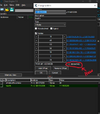
and when i compare this with the cheat engine calculated address (in attach image) it different than each other

can you tell me what is it that i am doing wrong
 

Ekli dosyalar

  • Screenshot (151).png
    Screenshot (151).png
    62.2 KB · Görüntüleme: 27
Cloud Rocket
Seçkin Üye
Katılım
13 Ağu 2022
Mesajlar
385
Çözümler
8
Tepki puanı
88
Ödüller
3
3 HİZMET YILI
Potential Causes and Fixes:

  1. Cheat Engine Uses Multilevel Pointers:
    • One common reason the addresses are different is that Cheat Engine typically works with multilevel pointers. This means the base address plus a single offset (0x02D68C88) might only be the first step.
    • In your code, you're currently calculating the address by adding one offset directly to the base address. However, if this is a multilevel pointer, you'd need to dereference the pointer at each level, following additional offsets.
To fix this, you should:

    • Add each level's offset and dereference the pointer before moving to the next offset.
  1. Pointer Dereferencing:
    • When working with multilevel pointers, after calculating an intermediate address, you need to read the memory at that address (dereference it) and use that value as the new address for the next level of offset.
Example: If FC64.dll + 0x2D68C88 is just the first level, you'll need to read the value at 0x7ffa58bc6c88 and add more offsets based on what Cheat Engine shows.

Here's how you can modify your code to handle multilevel pointers:

C++ Example for Multilevel Pointer Calculation:


C++:
#include <windows.h>
#include <psapi.h>
#include <iostream>
#include <vector>

#pragma comment(lib, "psapi.lib")

uintptr_t GetModuleBaseAddress(DWORD processID, const std::wstring& moduleName) {
    uintptr_t baseAddress = 0;
    HANDLE hProcess = OpenProcess(PROCESS_QUERY_INFORMATION | PROCESS_VM_READ, FALSE, processID);
    if (hProcess) {
        HMODULE hMods[1024];
        DWORD cbNeeded;
        if (EnumProcessModules(hProcess, hMods, sizeof(hMods), &cbNeeded)) {
            for (unsigned int i = 0; i < (cbNeeded / sizeof(HMODULE)); i++) {
                wchar_t szModName[MAX_PATH];
                if (GetModuleBaseNameW(hProcess, hMods[i], szModName, sizeof(szModName) / sizeof(wchar_t))) {
                    if (moduleName == szModName) {
                        baseAddress = reinterpret_cast<uintptr_t>(hMods[i]);
                        break;
                    }
                }
            }
        }
        CloseHandle(hProcess);
    }
    return baseAddress;
}

uintptr_t GetMultilevelPointer(HANDLE hProcess, uintptr_t baseAddress, std::vector<uintptr_t> offsets) {
    uintptr_t addr = baseAddress;

    for (unsigned int i = 0; i < offsets.size(); i++) {
        ReadProcessMemory(hProcess, (BYTE*)addr, &addr, sizeof(addr), nullptr);
        addr += offsets[i];
    }

    return addr;
}

int main() {
    DWORD processID = 6896;
    std::wstring moduleName = L"FC64.dll";

    // Get the base address of the module
    uintptr_t baseAddress = GetModuleBaseAddress(processID, moduleName);
    if (baseAddress == 0) {
        std::wcout << L"Module " << moduleName << L" not found in process ID " << processID << std::endl;
        return -1;
    }

    std::wcout << L"Base address of " << moduleName << L" in process ID " << processID << L" is: 0x" << std::hex << baseAddress << std::endl;

    HANDLE hProcess = OpenProcess(PROCESS_ALL_ACCESS, FALSE, processID);

    // Add your offsets here, starting from FC64.dll + 0x2D68C88
    uintptr_t initialOffset = 0x2D68C88;
    std::vector<uintptr_t> offsets = { /* additional offsets go here */ };

    // First level pointer calculation (base + initialOffset)
    uintptr_t initialAddress = baseAddress + initialOffset;

    // If there are multilevel pointers, continue dereferencing using the offsets
    uintptr_t finalAddress = GetMultilevelPointer(hProcess, initialAddress, offsets);

    std::wcout << L"Final Address: 0x" << std::hex << finalAddress << std::endl;

    CloseHandle(hProcess);
    return 0;
}


Explanation:

Base Address + Initial Offset
: First, we calculate FC64.dll + 0x2D68C88, which is the initial address.

Dereferencing: For each additional level in the pointer chain, you read the value at the current address and add the next offset to it.

Final Address: After walking through all offsets, you arrive at the final memory address.

  1. Cheat Engine's Multilevel Pointers:
    • If Cheat Engine is showing multiple levels of offsets, you should note down each offset in order.
    • For example, if Cheat Engine shows something like:
      • FC64.dll + 0x2D68C88 -> [Address] + Offset1 -> [Next Address] + Offset2 -> Final Address, you need to replicate this in your C++ code by dereferencing and adding the offsets.
  2. Alignment with Cheat Engine:
    • Recheck the offsets in Cheat Engine: Ensure that you have all the offsets correctly noted down. Cheat Engine may show more than one level, and each pointer level needs to be handled in sequence.
    • Test with Static Pointers: Sometimes, using static addresses in Cheat Engine can help you cross-check whether your code is calculating addresses properly.
Summary of What to Do:

  • Add all offsets as shown in Cheat Engine and make sure you're dereferencing each pointer at every level.
  • If Cheat Engine shows multiple levels, adjust your C++ code to walk through each pointer level.
Let me know how this works or if you need any further clarification!
 
Çözüm
Onaylı Üye
Katılım
10 Eyl 2022
Mesajlar
58
Tepki puanı
1
Ödüller
3
3 HİZMET YILI
Potential Causes and Fixes:
  1. Cheat Engine Uses Multilevel Pointers:
    • One common reason the addresses are different is that Cheat Engine typically works with multilevel pointers. This means the base address plus a single offset (0x02D68C88) might only be the first step.
    • In your code, you're currently calculating the address by adding one offset directly to the base address. However, if this is a multilevel pointer, you'd need to dereference the pointer at each level, following additional offsets.
To fix this, you should:

    • Add each level's offset and dereference the pointer before moving to the next offset.
  1. Pointer Dereferencing:
    • When working with multilevel pointers, after calculating an intermediate address, you need to read the memory at that address (dereference it) and use that value as the new address for the next level of offset.
Example: If FC64.dll + 0x2D68C88 is just the first level, you'll need to read the value at 0x7ffa58bc6c88 and add more offsets based on what Cheat Engine shows.

Here's how you can modify your code to handle multilevel pointers:

C++ Example for Multilevel Pointer Calculation:


C++:
#include <windows.h>
#include <psapi.h>
#include <iostream>
#include <vector>

#pragma comment(lib, "psapi.lib")

uintptr_t GetModuleBaseAddress(DWORD processID, const std::wstring& moduleName) {
    uintptr_t baseAddress = 0;
    HANDLE hProcess = OpenProcess(PROCESS_QUERY_INFORMATION | PROCESS_VM_READ, FALSE, processID);
    if (hProcess) {
        HMODULE hMods[1024];
        DWORD cbNeeded;
        if (EnumProcessModules(hProcess, hMods, sizeof(hMods), &cbNeeded)) {
            for (unsigned int i = 0; i < (cbNeeded / sizeof(HMODULE)); i++) {
                wchar_t szModName[MAX_PATH];
                if (GetModuleBaseNameW(hProcess, hMods[i], szModName, sizeof(szModName) / sizeof(wchar_t))) {
                    if (moduleName == szModName) {
                        baseAddress = reinterpret_cast<uintptr_t>(hMods[i]);
                        break;
                    }
                }
            }
        }
        CloseHandle(hProcess);
    }
    return baseAddress;
}

uintptr_t GetMultilevelPointer(HANDLE hProcess, uintptr_t baseAddress, std::vector<uintptr_t> offsets) {
    uintptr_t addr = baseAddress;

    for (unsigned int i = 0; i < offsets.size(); i++) {
        ReadProcessMemory(hProcess, (BYTE*)addr, &addr, sizeof(addr), nullptr);
        addr += offsets[i];
    }

    return addr;
}

int main() {
    DWORD processID = 6896;
    std::wstring moduleName = L"FC64.dll";

    // Get the base address of the module
    uintptr_t baseAddress = GetModuleBaseAddress(processID, moduleName);
    if (baseAddress == 0) {
        std::wcout << L"Module " << moduleName << L" not found in process ID " << processID << std::endl;
        return -1;
    }

    std::wcout << L"Base address of " << moduleName << L" in process ID " << processID << L" is: 0x" << std::hex << baseAddress << std::endl;

    HANDLE hProcess = OpenProcess(PROCESS_ALL_ACCESS, FALSE, processID);

    // Add your offsets here, starting from FC64.dll + 0x2D68C88
    uintptr_t initialOffset = 0x2D68C88;
    std::vector<uintptr_t> offsets = { /* additional offsets go here */ };

    // First level pointer calculation (base + initialOffset)
    uintptr_t initialAddress = baseAddress + initialOffset;

    // If there are multilevel pointers, continue dereferencing using the offsets
    uintptr_t finalAddress = GetMultilevelPointer(hProcess, initialAddress, offsets);

    std::wcout << L"Final Address: 0x" << std::hex << finalAddress << std::endl;

    CloseHandle(hProcess);
    return 0;
}


Explanation:

Base Address + Initial Offset
: First, we calculate FC64.dll + 0x2D68C88, which is the initial address.

Dereferencing: For each additional level in the pointer chain, you read the value at the current address and add the next offset to it.

Final Address: After walking through all offsets, you arrive at the final memory address.

  1. Cheat Engine's Multilevel Pointers:
    • If Cheat Engine is showing multiple levels of offsets, you should note down each offset in order.
    • For example, if Cheat Engine shows something like:
      • FC64.dll + 0x2D68C88 -> [Address] + Offset1 -> [Next Address] + Offset2 -> Final Address, you need to replicate this in your C++ code by dereferencing and adding the offsets.
  2. Alignment with Cheat Engine:
    • Recheck the offsets in Cheat Engine: Ensure that you have all the offsets correctly noted down. Cheat Engine may show more than one level, and each pointer level needs to be handled in sequence.
    • Test with Static Pointers: Sometimes, using static addresses in Cheat Engine can help you cross-check whether your code is calculating addresses properly.
Summary of What to Do:

  • Add all offsets as shown in Cheat Engine and make sure you're dereferencing each pointer at every level.
  • If Cheat Engine shows multiple levels, adjust your C++ code to walk through each pointer level.
Let me know how this works or if you need any further clarification!

Hey there! I just wanted to say a huge thank you for your help. I was totally stumped, thinking there was something off with the code you shared. But then, I took a closer look at the offsets I added, and it hit me—I had them in the wrong order! Once I fixed that, everything worked perfectly.

I really appreciate you taking the time to guide me. I know there will be more hurdles along the way, but I'm excited to keep learning with your support and the help of this awesome community.

Thanks again! 😊
 
Durum
Üzgünüz bu konu cevaplar için kapatılmıştır...
Üst