
Navigasyon
Uygulamayı Yükle
Daha fazla seçenek
Eski bir web tarayıcısı kullanıyorsunuz. Bu veya diğer siteleri görüntülemekte sorunlar yaşayabilirsiniz..
Tarayıcınızı güncellemeli veya alternatif bir tarayıcı kullanmalısınız.
Tarayıcınızı güncellemeli veya alternatif bir tarayıcı kullanmalısınız.
(DONT WORK, OUTDATED)Apex legends Semi-complete hack on linux. step by step
- Konuyu başlatan myrlen
- Başlangıç tarihi
-
- Etiketler
- apex legends apex legends cheat apex legends hack
- Durum
- Üzgünüz bu konu cevaplar için kapatılmıştır...

Onaylı Üye
Hepimiz öldük, bazılarımız gömüldü.
Onaylı Üye
i have alsovery thnx i try thisone
thanks broo thank uThe hack has;
No-recoil
Aimbot
Wall (You can configure it, there is an option to show the enemy marked with the color of the shield you are using. Or to be marked as a bloodhound ult when visible or not.)
all are 100% configurable
step by step;
Install linux. Ubuntu or pop_os (usb or cd drive needed)
Requirements for distro linux;
• Linux OS with X11 (direct x11)
• g++ compiler (Ubuntu 11.2.0-19ubuntu1) 11.2.0 or higher).
you can search on youtube that is easier to download it (I recommend pop_os)
On Linux, open terminal
----------------------------------------
In terminal, enter these commands in order:
• sudo apt install build-essential
• sudo apt install libx11-dev
• sudo add-apt-repository multiverse
• sudo apt update
• sudo apt upgrade
Install Steam(you can download directly from the steam website, however, via flatpak it is 101% guaranteed):
-----------------------------------------
• sudo apt update
• sudo apt install steam
• Open steam > Go to steam settings > go to the Steam Play tab > Enable Steam Play for all other titles > select Proton Experimental in the drop-down menu
• Install Apex
• Go to apex in libraries, and right click and open the settings
• compatibility > experimental proton
installing github
----------------------------------------
• sudo apt update
• sudo apt upgrade
• sudo apt install git
• git cloneBağlantıları görmek için lütfen Giriş Yap
installing github manually in case of error get git clone (You can skip this section and continue to the next if the "git clone ...." command works for you)
----------------------------------------
In terminal, enter these commands in order:
• -p curl >/dev/null || sudo apt install curl -y
• curl -fsSLBağlantıları görmek için lütfen Giriş Yap| sudo dd of=/usr/share/keyrings/githubcli-archive-keyring.gpg
• sudo chmod go+r /usr/share/keyrings/githubcli-archive-keyring.gpg
• echo "deb [arch=$(dpkg --print-architecture) signed-by=/usr/share/keyrings/githubcli-archive-keyring.gpg]Bağlantıları görmek için lütfen Giriş Yapstable main" | sudo tee /etc/apt/sources.list.d/github-cli.list > /dev/null
• sudo apt update
• sudo apt install gh -y
Install Cheat(if you were able to download git from myapex without problems using the git clone command, you can skip this part)
----------------------------------------
In terminal, enter these commands in order:
• gh repo clone arturzxc/myapex (Skip this command if you skipped the last section)
• cd myapex
- if you enter the folder, type "ls" in the terminal. If you have all the files, you downloaded everything in peace
Install GameMode (Improves game performance on Linux)
----------------------------------------
In terminal:
• sudo apt install gamemode
• gamemode-simulate-game (run this command, it should do nothing for a few seconds)
• Right click Apex on Steam > Properties > Put "gamemoderun %command%" (no quotes) in the launch options for Apex
Running the cheat with apex
----------------------------------------
• Open Apex
In terminal:
• cd myapex
• g++ Main.cpp -lX11
• sudo ./a.out
If everything went fine then you will see something simmilar to the text below ( )
======================== SETTINGS LOADED ========================
FEATURE_AIMBOT_ON true
FEATURE_NORECOIL_ON true
FEATURE_SENSE_ON true
AIMBOT_TRIGGER 0
AIMBOT_SMOOTHING 5
AIMBOT_ACTIVATION_FOV 20
AIMBOT_MAX_RANGE 250
NORECOIL_PITCH_STRENGTH 0.400000
NORECOIL_YAW_STRENGTH 0.400000
=================================================================
UPDATE[1000] OK.
UPDATE[0] OK.
check if the 3 are "true" ;aimbot,norecoil,sense on
in the first matches it may take a while to find a match, however, it is normal. The cheat detects when it is taking too long, and is deactivated and activated again within the game
extra activate aimbot / configure
----------------------------------------
you can activate aimbot using this
• cd myapex
• sudo nano myapex.ini
• edit the line "aimbot on.." put "true"
• press CTRL+O(to enter save mode, do not modify anything, just press enter) > enter(for save) > CTRL+X(to exit nano mode)
I use this configuration;
AIMBOT_SMOOTHING 5
AIMBOT_ACTIVATION_FOV 20
AIMBOT_MAX_RANGE 250
obs; smoothing is the force that will pull, the less, the stronger. I recommend that you use above 20 if you are going to play alone
never use zero, otherwise it won't get
step by step to change keycap and configuration that I recommend.
• aimbot trigger; you put the button of your choice, I use "alt left" his code is "0xffe9"
you may be looking at the code of all the keys in the "keycodes.txt".
• after configuring everything the way you want, press the keys;
ctrl+o (to save) > enter > ctrl+x (to exit nano)
example;
picture hack working.
all credit goes to;Bağlantıları görmek için lütfen Giriş Yap/Bağlantıları görmek için lütfen Giriş Yap
So I'm sharing the same, and showing the way I made it work
UPDATE--------------- github.com/Nipicoco
- git cloneBağlantıları görmek için lütfen Giriş Yap
- cd ApexCock\
- follow the previous steps to edit to your preference
- g++ Main.cpp -lX11
- sudo ./a.out
Onaylı Üye
thank you broThe hack has;
No-recoil
Aimbot
Wall (You can configure it, there is an option to show the enemy marked with the color of the shield you are using. Or to be marked as a bloodhound ult when visible or not.)
all are 100% configurable
step by step;
Install linux. Ubuntu or pop_os (usb or cd drive needed)
Requirements for distro linux;
• Linux OS with X11 (direct x11)
• g++ compiler (Ubuntu 11.2.0-19ubuntu1) 11.2.0 or higher).
you can search on youtube that is easier to download it (I recommend pop_os)
On Linux, open terminal
----------------------------------------
In terminal, enter these commands in order:
• sudo apt install build-essential
• sudo apt install libx11-dev
• sudo add-apt-repository multiverse
• sudo apt update
• sudo apt upgrade
Install Steam(you can download directly from the steam website, however, via flatpak it is 101% guaranteed):
-----------------------------------------
• sudo apt update
• sudo apt install steam
• Open steam > Go to steam settings > go to the Steam Play tab > Enable Steam Play for all other titles > select Proton Experimental in the drop-down menu
• Install Apex
• Go to apex in libraries, and right click and open the settings
• compatibility > experimental proton
installing github
----------------------------------------
• sudo apt update
• sudo apt upgrade
• sudo apt install git
• git cloneBağlantıları görmek için lütfen Giriş Yap
installing github manually in case of error get git clone (You can skip this section and continue to the next if the "git clone ...." command works for you)
----------------------------------------
In terminal, enter these commands in order:
• -p curl >/dev/null || sudo apt install curl -y
• curl -fsSLBağlantıları görmek için lütfen Giriş Yap| sudo dd of=/usr/share/keyrings/githubcli-archive-keyring.gpg
• sudo chmod go+r /usr/share/keyrings/githubcli-archive-keyring.gpg
• echo "deb [arch=$(dpkg --print-architecture) signed-by=/usr/share/keyrings/githubcli-archive-keyring.gpg]Bağlantıları görmek için lütfen Giriş Yapstable main" | sudo tee /etc/apt/sources.list.d/github-cli.list > /dev/null
• sudo apt update
• sudo apt install gh -y
Install Cheat(if you were able to download git from myapex without problems using the git clone command, you can skip this part)
----------------------------------------
In terminal, enter these commands in order:
• gh repo clone arturzxc/myapex (Skip this command if you skipped the last section)
• cd myapex
- if you enter the folder, type "ls" in the terminal. If you have all the files, you downloaded everything in peace
Install GameMode (Improves game performance on Linux)
----------------------------------------
In terminal:
• sudo apt install gamemode
• gamemode-simulate-game (run this command, it should do nothing for a few seconds)
• Right click Apex on Steam > Properties > Put "gamemoderun %command%" (no quotes) in the launch options for Apex
Running the cheat with apex
----------------------------------------
• Open Apex
In terminal:
• cd myapex
• g++ Main.cpp -lX11
• sudo ./a.out
If everything went fine then you will see something simmilar to the text below ( )
======================== SETTINGS LOADED ========================
FEATURE_AIMBOT_ON true
FEATURE_NORECOIL_ON true
FEATURE_SENSE_ON true
AIMBOT_TRIGGER 0
AIMBOT_SMOOTHING 5
AIMBOT_ACTIVATION_FOV 20
AIMBOT_MAX_RANGE 250
NORECOIL_PITCH_STRENGTH 0.400000
NORECOIL_YAW_STRENGTH 0.400000
=================================================================
UPDATE[1000] OK.
UPDATE[0] OK.
check if the 3 are "true" ;aimbot,norecoil,sense on
in the first matches it may take a while to find a match, however, it is normal. The cheat detects when it is taking too long, and is deactivated and activated again within the game
extra activate aimbot / configure
----------------------------------------
you can activate aimbot using this
• cd myapex
• sudo nano myapex.ini
• edit the line "aimbot on.." put "true"
• press CTRL+O(to enter save mode, do not modify anything, just press enter) > enter(for save) > CTRL+X(to exit nano mode)
I use this configuration;
AIMBOT_SMOOTHING 5
AIMBOT_ACTIVATION_FOV 20
AIMBOT_MAX_RANGE 250
obs; smoothing is the force that will pull, the less, the stronger. I recommend that you use above 20 if you are going to play alone
never use zero, otherwise it won't get
step by step to change keycap and configuration that I recommend.
• aimbot trigger; you put the button of your choice, I use "alt left" his code is "0xffe9"
you may be looking at the code of all the keys in the "keycodes.txt".
• after configuring everything the way you want, press the keys;
ctrl+o (to save) > enter > ctrl+x (to exit nano)
example;
picture hack working.
all credit goes to;Bağlantıları görmek için lütfen Giriş Yap/Bağlantıları görmek için lütfen Giriş Yap
So I'm sharing the same, and showing the way I made it work
UPDATE--------------- github.com/Nipicoco
- git cloneBağlantıları görmek için lütfen Giriş Yap
- cd ApexCock\
- follow the previous steps to edit to your preference
- g++ Main.cpp -lX11
- sudo ./a.out


Tired of cheating
Süper Üye
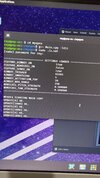
I am having problem with the cheat! It loads fine with no error and no requiring for offsets update and in game it doesn't show anything even the aimbot is not working neither no recoil kinda not activated correctly! why??? Here is the pictureare you using debian? and what version of it? if not, download git in the most basic way and log into your account via terminal or with code
Ekli dosyalar

apex legends works in linuxthanks for sharing this is very informative
Onaylı Üye
It looks pretty good  how about the cheats update? I think that's problem always
Also I really would like If someone can tell us how to inject into memory in Linux
how about the cheats update? I think that's problem always
Post automatically merged:
Also I really would like If someone can tell us how to inject into memory in Linux
Seçkin Üye
nice and ty for ur work bro is it undetected?
Seçkin Üye
I will try someday
Onaylı Üye
Thanks for sharing this & It very informative for cheat commouniety
- Durum
- Üzgünüz bu konu cevaplar için kapatılmıştır...
Benzer Konular

- Cevaplar
- 15
- Görüntüleme
- 2K


- Cevaplar
- 116
- Görüntüleme
- 6K
- Kilitli
- Cevaplar
- 7
- Görüntüleme
- 1K

- Cevaplar
- 2
- Görüntüleme
- 894
- Kilitli
- Cevaplar
- 143
- Görüntüleme
- 10K