
- Admin
- #1

Kurucu
Step 1: To send a trade, first enter the topic where you want to send the trade. Then click on the "Send Trade Request" button.
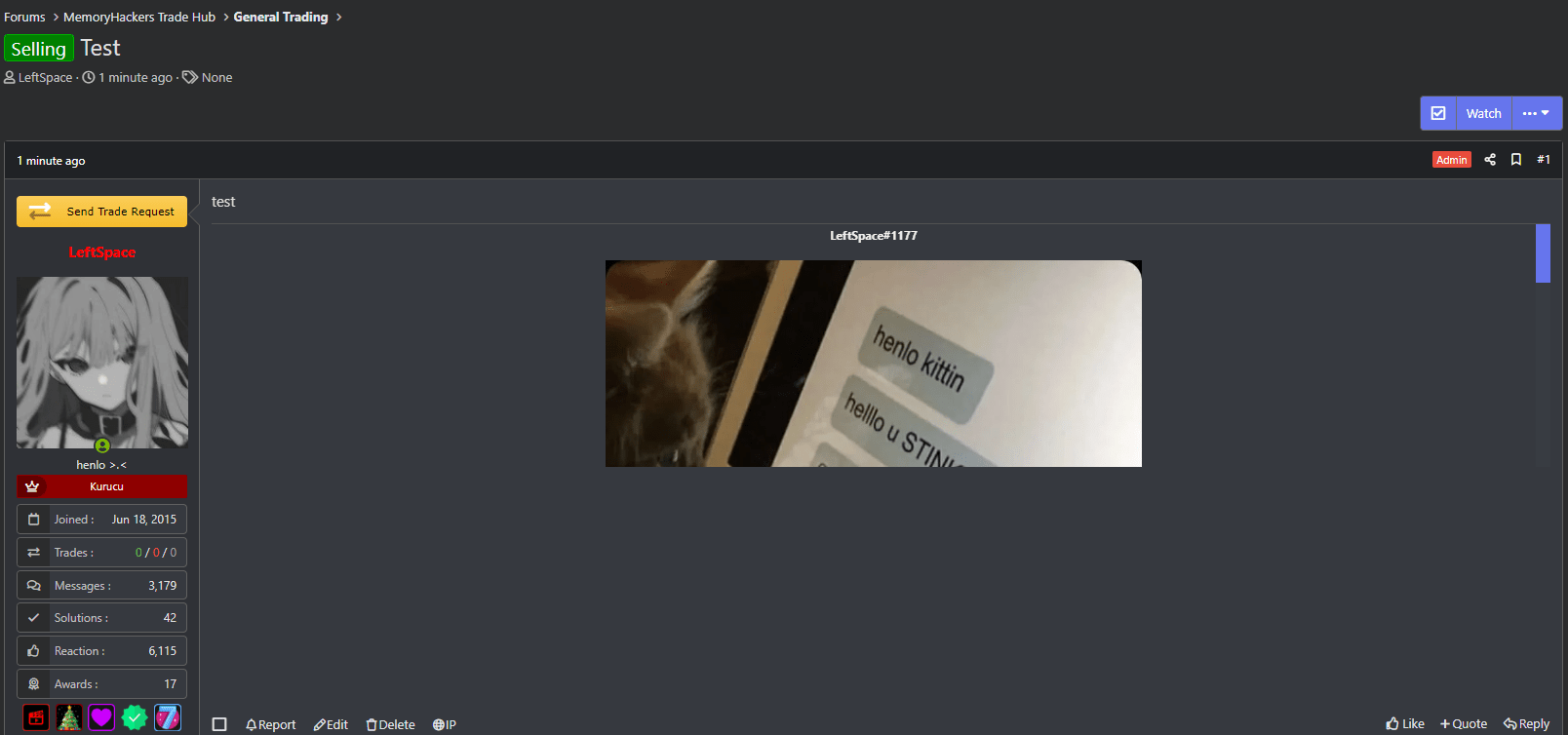
Step 2: Confirm that you accept the trade rules and send the trade request.

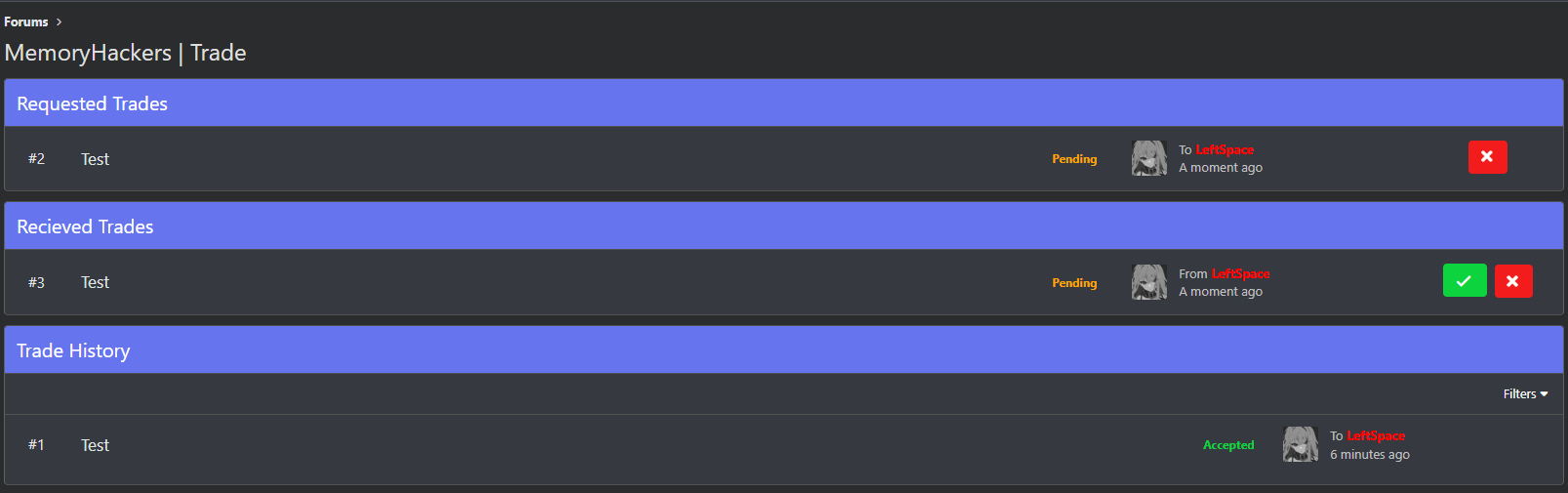
Step 3: You will see the trade request you sent here and you can cancel it if you wish.

Step 4: The user to whom you sent the trade request will receive a notification that they have received a trade request.
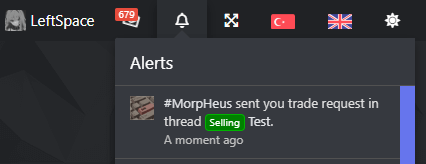
Step 5: The user who received the trade request can accept or reject the trade request from the notification or by going to the trade page.

Step 6: If your trade request is accepted, you can give your rating from the trade page. Personal information or product information should not be written in the trade rating description. (Rating is optional, not every trade needs to be rated.)
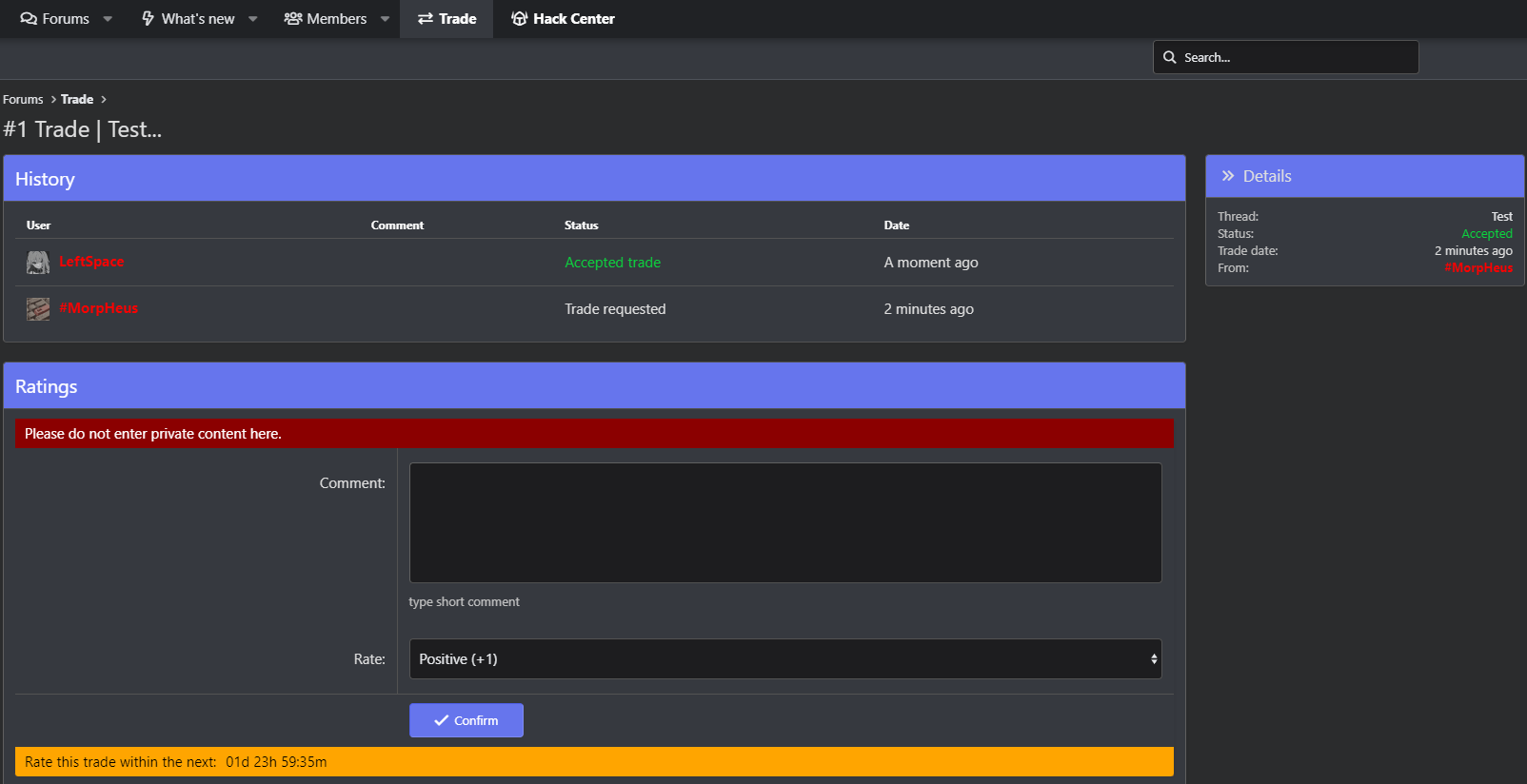
Step 6.1: You can determine your trade rating from this section.
Positive: Gives +1 rating
Neutral: Does not affect the trade rating
Negative: Gives -1 rating

Step 7: You can see the result and history of the trade here.
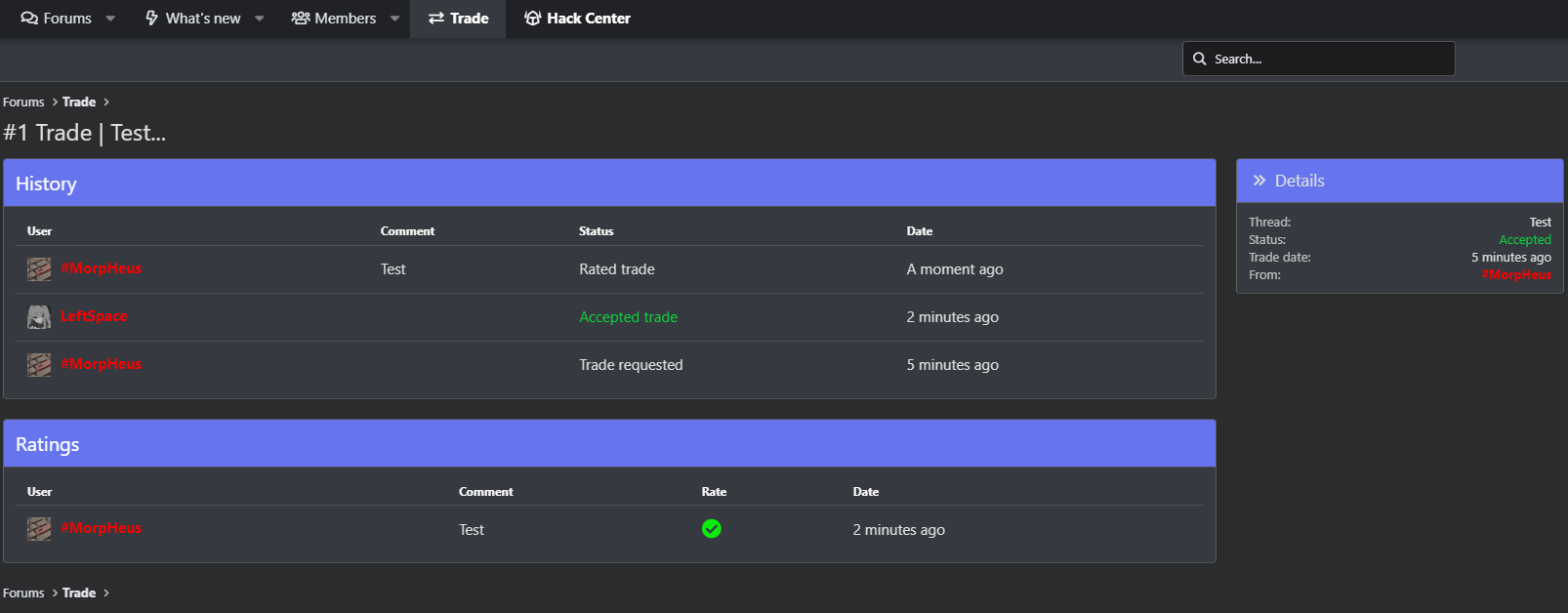
Step 8: You can see the trade requests you sent and received and your trade history on the trade page.
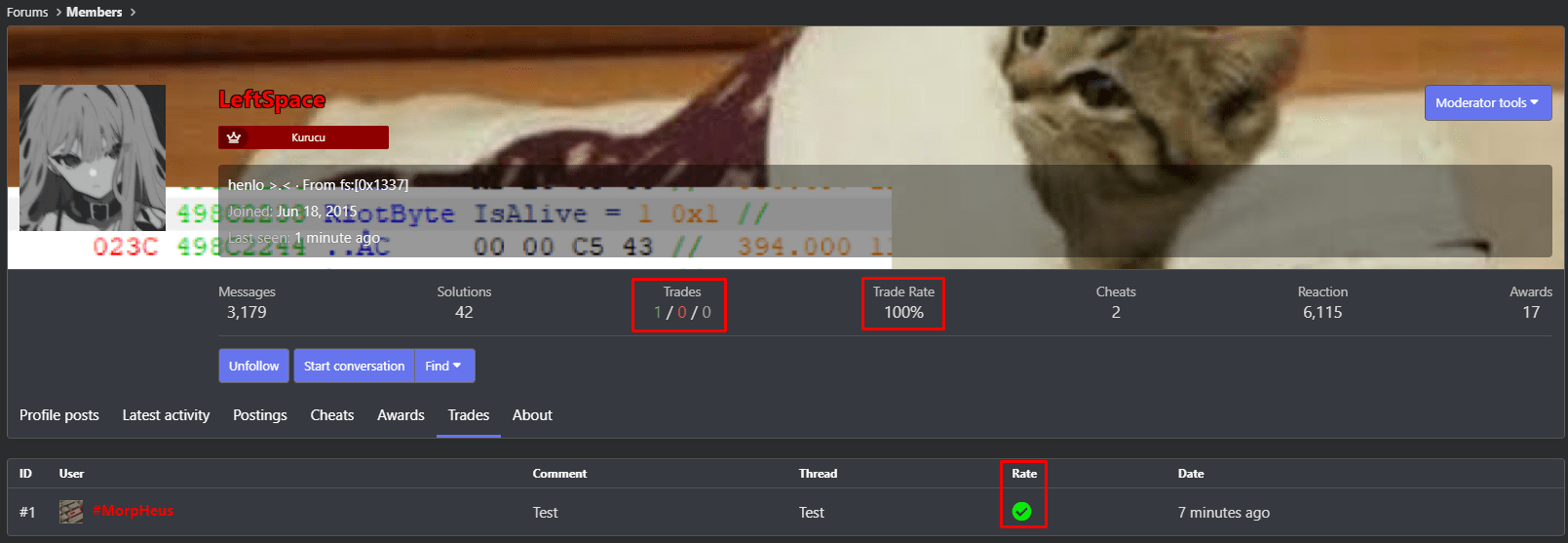
Step 9: The trade rating and description you gave will be visible on the user/seller's profile.
Step 2: Confirm that you accept the trade rules and send the trade request.
Step 3: You will see the trade request you sent here and you can cancel it if you wish.
Step 4: The user to whom you sent the trade request will receive a notification that they have received a trade request.
Step 5: The user who received the trade request can accept or reject the trade request from the notification or by going to the trade page.
Step 6: If your trade request is accepted, you can give your rating from the trade page. Personal information or product information should not be written in the trade rating description. (Rating is optional, not every trade needs to be rated.)
Step 6.1: You can determine your trade rating from this section.
Positive: Gives +1 rating
Neutral: Does not affect the trade rating
Negative: Gives -1 rating
Step 7: You can see the result and history of the trade here.
Step 8: You can see the trade requests you sent and received and your trade history on the trade page.
Step 9: The trade rating and description you gave will be visible on the user/seller's profile.


