Eski bir web tarayıcısı kullanıyorsunuz. Bu veya diğer siteleri görüntülemekte sorunlar yaşayabilirsiniz.. Tarayıcınızı güncellemeli veya alternatif bir tarayıcı kullanmalısınız.
Please make sure that your computer is connected to the Internet and check whether the network adapter and Windows Update services are running correctly.
If they are all right, follow below steps to fix the update issue now:
1. Press Windows + X and select Control panel.
2. In the search box, type troubleshooter, and then click Troubleshooting.
3. Under System and Security, click Fix problems with Windows Updates.
Method 2. Restart Background Intelligent Transfer Services to stop 0x80240fff error
1. Press Windows key + R key, and type services.msc in the text box.
2. Locate Background Intelligent Transfer Service (BITS) from the list.
3. Right-click the Background Intelligent Transfer Service (BITS) service, and then click Properties.
4. On the General tab, next to Startup type, make sure that Automatic (Delayed Start) is selected. If it isn't, select it, and then click Apply.
5. Next to Service status, check to see if the service is started. If it isn't, click Start.
Extra offered solutions to fix Windows 10 update error 0x80240fff
Except Microsoft offered solutions to fix 0x80240fff error in Windows 10 update, you still have some extra solutions as follows:
Run CMD and fix Windows 10 update error code 0x80240fff
1. Restart computer and boot up in safe mode > Open CMD as an Admin.
2. Type: net stop wuauserv and hit Enter > type: net stop cryptsvc and hit Enter.
3. Go to C:\Windows and find SoftwareDistribution and delete or rename this folder.
4. Go to CMD and type: net start wuauserv and hit Enter > type: net start cryptsvc and hit Enter.
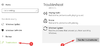
Windows has an internal troubleshooting tool that can easily fix common problems in many cases. Follow the steps below to run Windows Update Troubleshooting:
- Press the Windows + I buttons to open the Settings window
- Now tap Update & Security and from the left panel, select Troubleshoot
- Then from the list of Windows programs, select Windows Update and click the Run the troubleshooter button.