Naughty But Innocent
Uzman Üye
For Others : I Am creating a test account for you with pictures-
Step 1. Right Click on windows icon then left click on setting ..
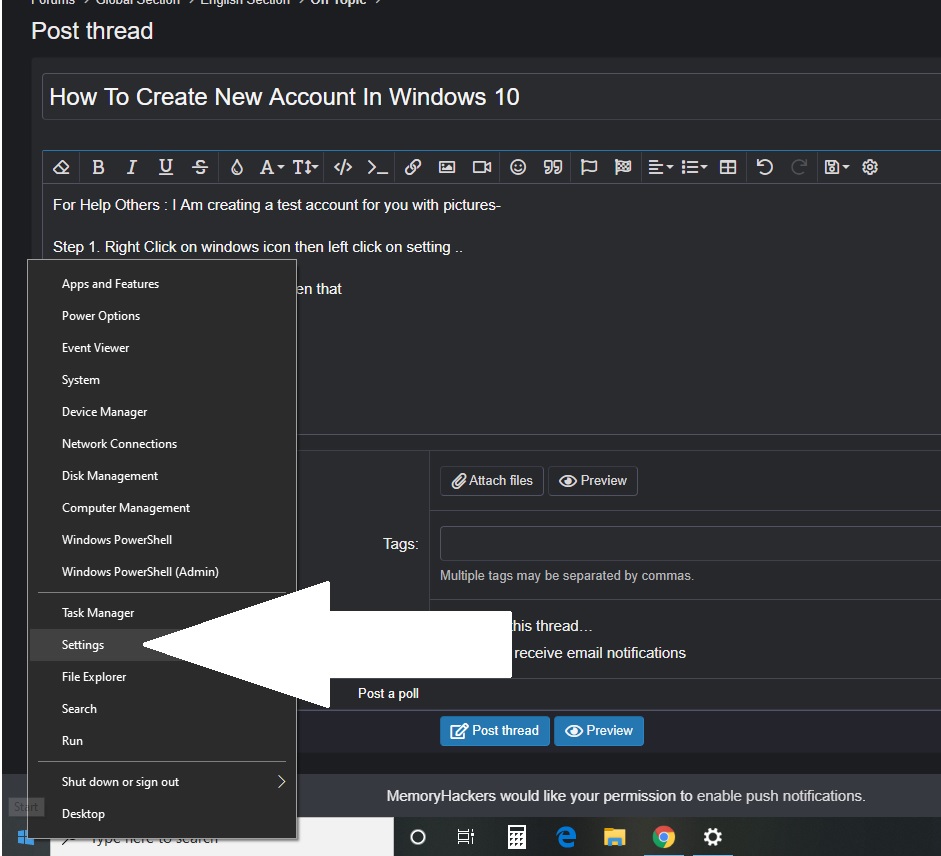
Step 2. Left Click on Account and open that

Step 3. Click On Family And Other Users Tab in Account Section
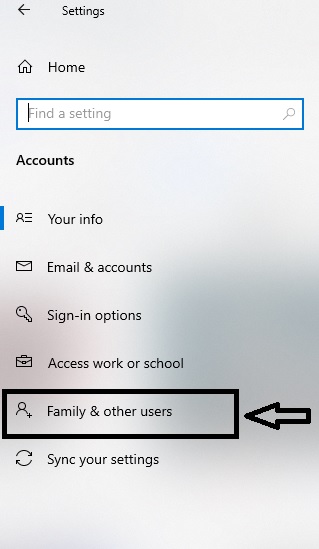
Step 4. After Click on Family & Other Users Tab, You Will Get New Window than Click On Add someone else to this PC
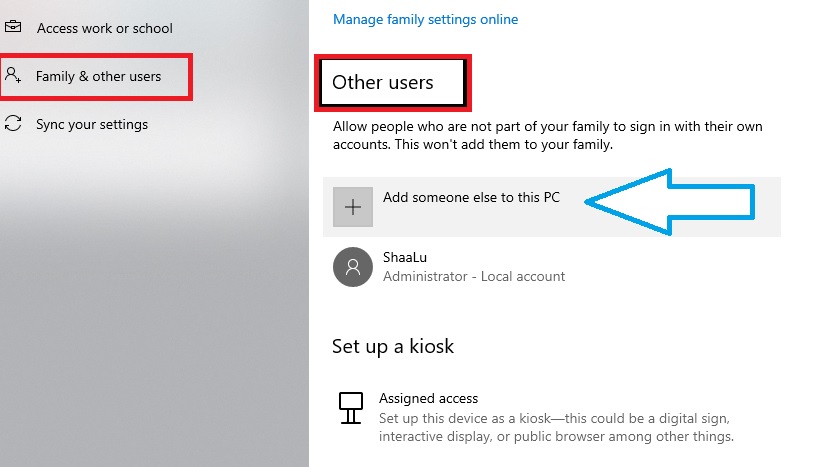
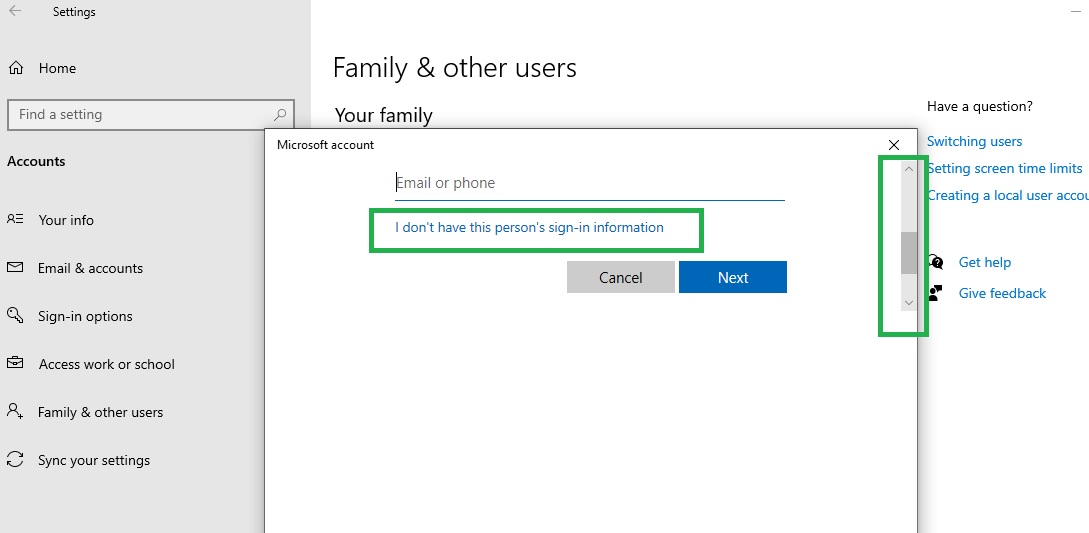
Step 5. Wait For New Window it's Loading and when you will get Microsoft Account Window .. you Can See Pic here..
move your mouse cursor right side and scroll down then left click on " I Don't Have This--- " then click Next
Step 6. You Will Get " Create Microsoft Account " Windows ... then again scroll down same as last.. and click on " Add A User -- Account "
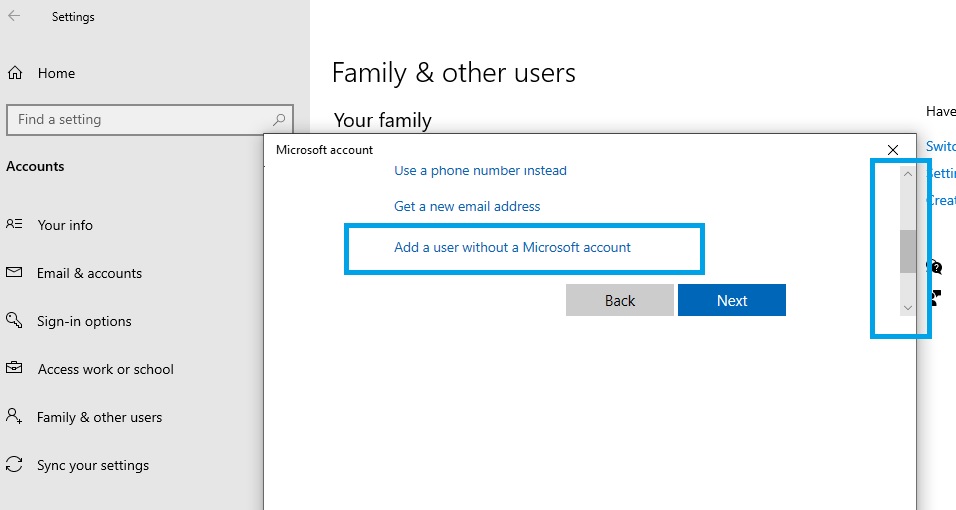
Last Step. Well You Done everything now you can create New Local Account.. You Can Secure it and make it Administrator account too..
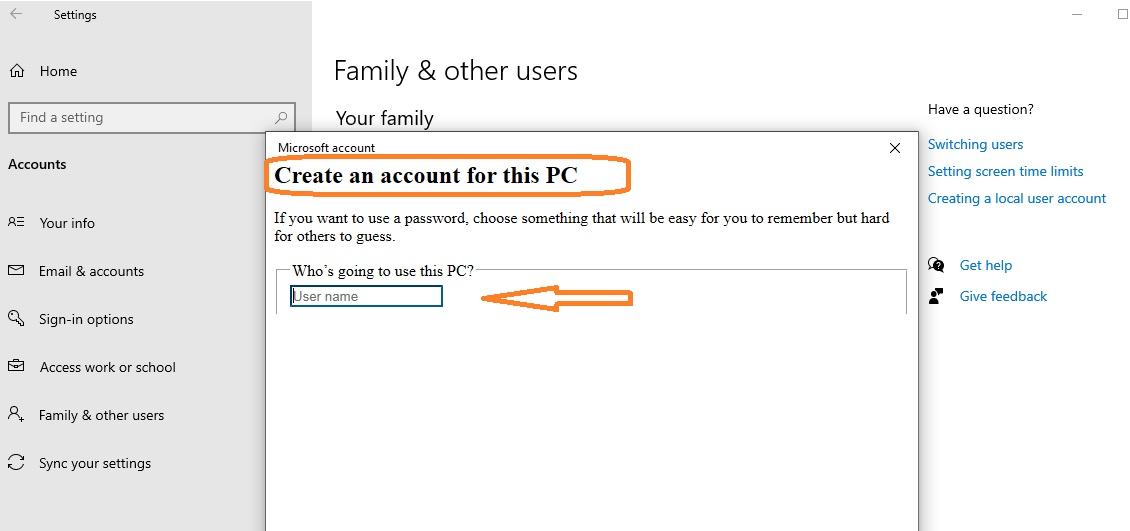
I Hope It Will You.
Step 1. Right Click on windows icon then left click on setting ..
Step 2. Left Click on Account and open that
Step 3. Click On Family And Other Users Tab in Account Section
Step 4. After Click on Family & Other Users Tab, You Will Get New Window than Click On Add someone else to this PC
Step 5. Wait For New Window it's Loading and when you will get Microsoft Account Window .. you Can See Pic here..
move your mouse cursor right side and scroll down then left click on " I Don't Have This--- " then click Next
Step 6. You Will Get " Create Microsoft Account " Windows ... then again scroll down same as last.. and click on " Add A User -- Account "
Last Step. Well You Done everything
now you can create New Local Account.. You Can Secure it and make it Administrator account too..I Hope It Will You.
Moderatörün son düzenlenenleri: