
Naughty But Innocent
Uzman Üye
Hello Friends for your help..
i am making this article i hope it will help you..
>>>>>>>>>>>>>>>>>>>>>
Step 1. open any browser then visit to
Step 2. click on sing in / Sing Up
Step 3. If you new on this site create your account here
>>>>>>>>>>>>> skip this process if you have account on this site >>>>>
Step 3A. fill all detail in registration form
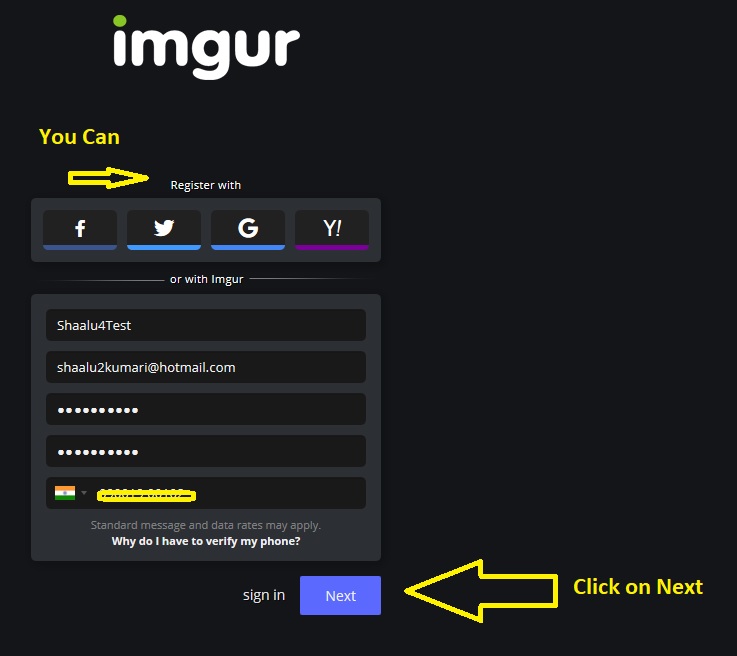
Step 3B. you can register it with Facebook , twitter , gmail , yahoo but you you can create it with info cause of security
Step 3C. click on Next then you will get OTP on your phone Number
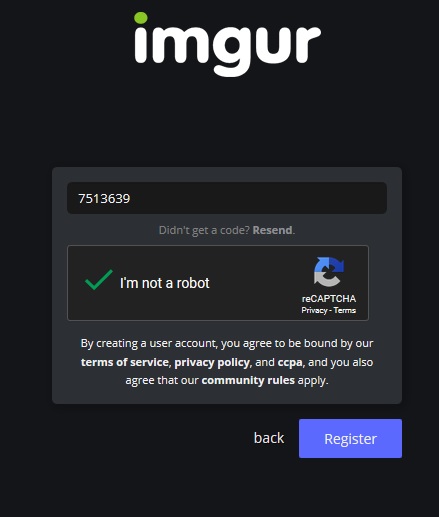
Step 3D. submit otp and verify your account
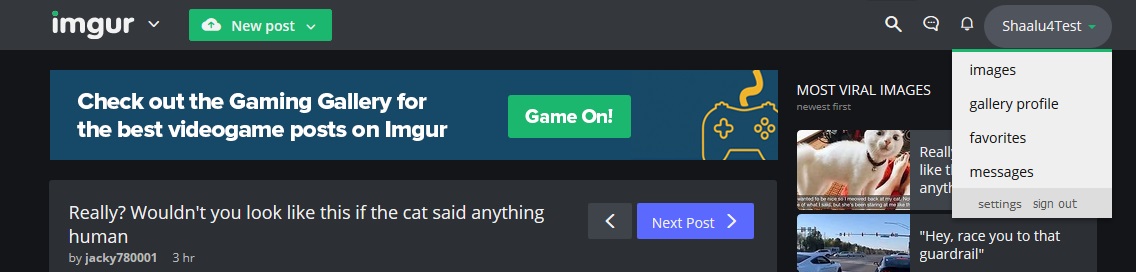
Step 3E. All Done your account created ..
>>>>>>>>>>>>> skip this process if you have account on this site >>>>>
Step 4. sing in with your username and password.
Step 5. click on Post then upload your picture
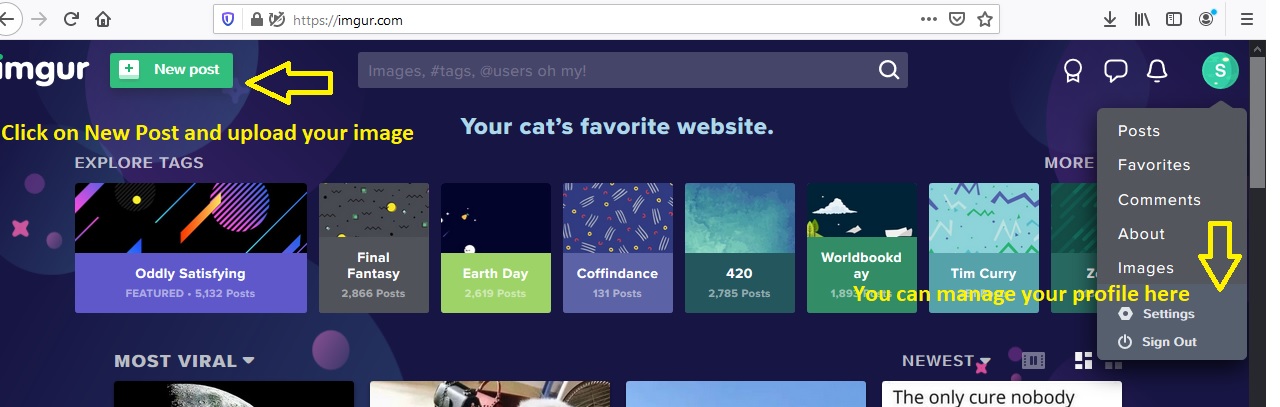
Step 6. Click on share to communities for share your picture
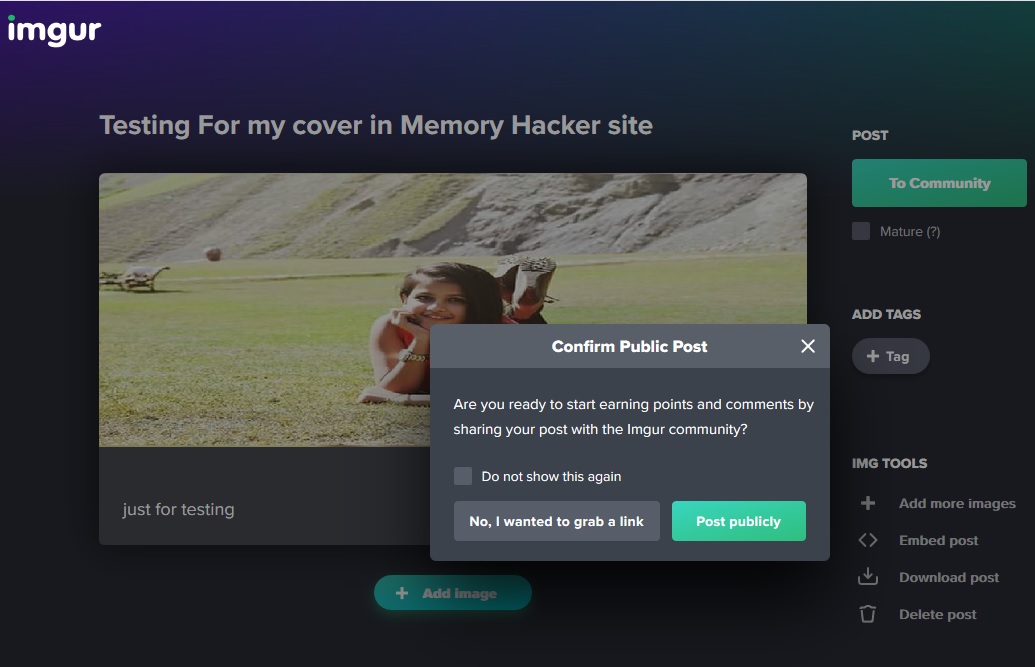
Step 7. copy links for others..
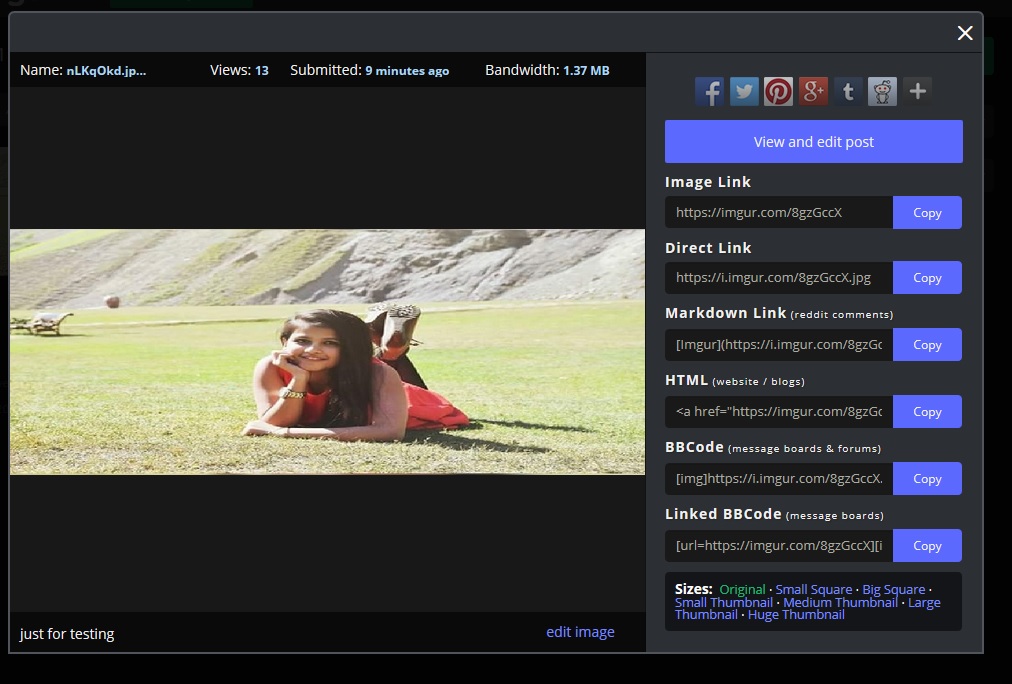
Step 8. Done " i hope it will help you "
i am making this article i hope it will help you..
>>>>>>>>>>>>>>>>>>>>>
Step 1. open any browser then visit to
Bağlantıları görmek için lütfen
Giriş Yap
Step 2. click on sing in / Sing Up
Step 3. If you new on this site create your account here
>>>>>>>>>>>>> skip this process if you have account on this site >>>>>
Step 3A. fill all detail in registration form
Step 3B. you can register it with Facebook , twitter , gmail , yahoo but you you can create it with info cause of security
Step 3C. click on Next then you will get OTP on your phone Number
Step 3D. submit otp and verify your account
Step 3E. All Done your account created ..
>>>>>>>>>>>>> skip this process if you have account on this site >>>>>
Step 4. sing in with your username and password.
Step 5. click on Post then upload your picture
Step 6. Click on share to communities for share your picture
Step 7. copy links for others..
Step 8. Done " i hope it will help you "
Son düzenleme:

 .
.


