Çözüldü I am having issues

Durum
Üzgünüz bu konu cevaplar için kapatılmıştır...
Uzman Üye
Katılım
14 Şub 2020
Mesajlar
280
Çözümler
8
Tepki puanı
22
Ödüller
4
Yaş
26
6 HİZMET YILI
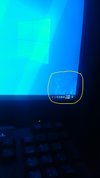
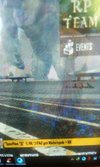
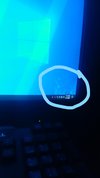
my gpu is NVidia Quadro 4000 and i am facing these issues while log on and playing games sorry for bad picture result
Post automatically merged:

the gpu is working fine while it is on idle or watching a video and also the clock stuck at idle

 

Ekli dosyalar

  • IMG_20210612_232114.jpg
    IMG_20210612_232114.jpg
    375.1 KB · Görüntüleme: 59
  • IMG_20210612_232736.jpg
    IMG_20210612_232736.jpg
    428.4 KB · Görüntüleme: 55
  • IMG_20210613_130154.jpg
    IMG_20210613_130154.jpg
    1.8 MB · Görüntüleme: 54
  • InkedIMG_20210612_232736_LI.jpg
    InkedIMG_20210612_232736_LI.jpg
    851 KB · Görüntüleme: 57
WE DONT FORGET OR FORGIVE
Onaylı Üye
Katılım
25 Ocak 2019
Mesajlar
70
Çözümler
3
Tepki puanı
13
Ödüller
5
7 HİZMET YILI
try doing this


go to Nvidia Control Panel > Video > Adjust video color settings > With the Nvidia settings > Advanced > Dynamic Range: Full (0-255).

if this dont fix let me know
i was using this before had same issues , so u cant avoid this problem completely in fullscreen game
u have to create icc profile and apply after every reboot . try this it might solve your issue
 
Seçkin Üye
Katılım
6 Nis 2019
Mesajlar
304
Çözümler
2
Tepki puanı
21
Ödüller
6
7 HİZMET YILI
you have a hardware GPU problem and need to go the service (advice you to STOP use it now just shutdown your pc)
 
Uzman Üye
Katılım
14 Şub 2020
Mesajlar
280
Çözümler
8
Tepki puanı
22
Ödüller
4
Yaş
26
6 HİZMET YILI
you have a hardware GPU problem and need to go the service (advice you to STOP use it now just shutdown your pc)
its only happening while gaming i cleard the gpu dust but can you tell me i had sound problem with front and rear panel does it effects the gpu cause i read that at reddit and also serached for this problem
 
Seçkin Üye
Katılım
6 Nis 2019
Mesajlar
304
Çözümler
2
Tepki puanı
21
Ödüller
6
7 HİZMET YILI
its only happening while gaming i cleard the gpu dust but can you tell me i had sound problem with front and rear panel does it effects the gpu cause i read that at reddit and also serached for this problem
sure bec the games make a load on your GPU so i advice you go to the service center bec i have used this GPU before in pubg csgo and lol and it was working normal
 
STILL FINDING MY LOVE
Seçkin Üye
Katılım
9 Mar 2020
Mesajlar
484
Çözümler
5
Tepki puanı
57
Ödüller
2
Yaş
23
6 HİZMET YILI
its you hardware gpu problem clean it and reinstall drivers in it and then try
 
Üye
Katılım
16 Mar 2019
Mesajlar
41
Tepki puanı
0
Yaş
21
7 HİZMET YILI
quadro is not good for gaming.
Post automatically merged:

yeah i know but its giving me 150+ fps
 
Ultra Üye
Katılım
8 Ağu 2020
Mesajlar
1,523
Çözümler
2
Tepki puanı
48
Ödüller
8
5 HİZMET YILI
The Quadro graphics card isnt actually for gaming, Ad maybe its fake tho Check cables HDMI
 
Moderatörün son düzenlenenleri:
Onaylı Üye
Katılım
8 Nis 2018
Mesajlar
104
Tepki puanı
18
Ödüller
7
8 HİZMET YILI
Enter safe mode then use DDU to uninstall completely the gpu drivers then reinstall or u can press "Window+Ctrl+Shift+B" to refresh the gpu
 
Süper Üye
Katılım
25 Eki 2019
Mesajlar
647
Çözümler
11
Tepki puanı
41
Ödüller
6
Yaş
27
6 HİZMET YILI
Try to use dp cable instead of hdmi, if still doesnt help try installing ur drivers again
 
Süper Üye
Katılım
24 Kas 2019
Mesajlar
607
Çözümler
1
Tepki puanı
29
Ödüller
4
Yaş
28
6 HİZMET YILI
Uninstall and reinstall the graphic card driver.
If not, your Graphic card may be on the verge of failure.
 
Üye
Katılım
28 Kas 2020
Mesajlar
8
Tepki puanı
0
Ödüller
4
Yaş
25
5 HİZMET YILI
Check your wire to see if it is securely connected. try to remove any extra wires near it, there may be electrical interference, use a ferrite filter for this. There may be a problem with the graphics stone. check it for chips.
 
Durum
Üzgünüz bu konu cevaplar için kapatılmıştır...
Üst