Çözüldü Issue with Script Blocking 'hosts' File in Windows

Durum
Üzgünüz bu konu cevaplar için kapatılmıştır...
Üye
Katılım
20 Kas 2023
Mesajlar
29
Tepki puanı
3
Ödüller
1
Yaş
27
2 HİZMET YILI
I'm facing a problem with WSReborna for LOL in Windows that's locking the 'hosts' file in a read-only state. This issue persists even when I try to edit the file with administrative privileges, which should allow me to modify system files like 'hosts'. This file is crucial for tasks like domain name resolution, and being unable to edit it is causing significant inconvenience. Has anyone experienced a similar issue or knows why this is happening and how to resolve it?
 
Çözüm
why does the script do this? in 2020 there were hosts configured with league of legends and league4bot addresses if i'm not mistaken. currently there are no addresses at all
First thank you for making a Topic about Host i wish i will clear ur point ok
why website change the host file
You can look in the section
https://memoryhackers.org/konular/m...lgilendirmesi-hosts-file-announcement.197942/
Rich (BB code):
EN:
Shortly, we gonna start to block scammer & trash Turkish websites with editing your host file for your system safety.
This topic has been opened to inform you. We attach importance to transparency.
 Some retarded Turkish website owners started to change their users host file for block memoryhackers.org...
Wanderlust
Süper Moderator
Katılım
1 Şub 2017
Mesajlar
2,109
Çözümler
392
Tepki puanı
532
Ödüller
16
Yaş
28
9 HİZMET YILI
Regarding the All Folders Marked as Read issue;

To better assist you, we would like to know if you are the only user on your computer.

If so, you can follow the steps listed below:

Right-click on your C Drive and select Properties.

Go to the Security tab.

Click Advanced and then Change Permissions.

Highlight the user and click Edit.

Under Applies to, select This folder, subfolders, and files:

Under Basic Permissions, select Full Control.

Press OK.

If there are other users on the computer, follow these steps:

Go to C Drive.

Right-click your username in your Users folder, then click Properties.

Go to the Security tab.

Click Advanced and Continue.

Click Enable Inheritance.
 
Üye
Katılım
20 Kas 2023
Mesajlar
29
Tepki puanı
3
Ödüller
1
Yaş
27
2 HİZMET YILI
Can you send a screenshot of the error you get?
The problem has been going on since the memory hackers script of 2020, when it was another program.
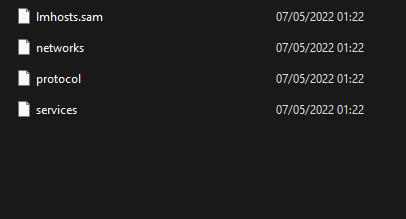
1° host files in hidden

0bPzol6.png


2° host is marked as read-only, even using administrator user

Regarding the All Folders Marked as Read issue;

To better assist you, we would like to know if you are the only user on your computer.

If so, you can follow the steps listed below:

Right-click on your C Drive and select Properties.

Go to the Security tab.

Click Advanced and then Change Permissions.

Highlight the user and click Edit.

Under Applies to, select This folder, subfolders, and files:

Under Basic Permissions, select Full Control.

Press OK.

If there are other users on the computer, follow these steps:

Go to C Drive.

Right-click your username in your Users folder, then click Properties.

Go to the Security tab.

Click Advanced and Continue.

Click Enable Inheritance.
is already in this configuration
 
Wanderlust
Süper Moderator
Katılım
1 Şub 2017
Mesajlar
2,109
Çözümler
392
Tepki puanı
532
Ödüller
16
Yaş
28
9 HİZMET YILI
The problem has been going on since the memory hackers script of 2020, when it was another program.
1° host files in hidden

0bPzol6.png


2° host is marked as read-only, even using administrator user


is already in this configuration

If it doesn't get better despite all these, the problem cannot be fixed because it is related to the structure of the operating system.

In some operating systems, the problem cannot be solved because it is chronic
 
Üye
Katılım
20 Kas 2023
Mesajlar
29
Tepki puanı
3
Ödüller
1
Yaş
27
2 HİZMET YILI
If it doesn't get better despite all these, the problem cannot be fixed because it is related to the structure of the operating system.

In some operating systems, the problem cannot be solved because it is chronic
why does the script do this? in 2020 there were hosts configured with league of legends and league4bot addresses if i'm not mistaken. currently there are no addresses at all
 
ERROR PROBLEM FIXER
Support
Katılım
25 Eyl 2018
Mesajlar
5,366
Çözümler
1,450
Tepki puanı
2,351
Ödüller
20
Sosyal
7 HİZMET YILI
why does the script do this? in 2020 there were hosts configured with league of legends and league4bot addresses if i'm not mistaken. currently there are no addresses at all
First thank you for making a Topic about Host i wish i will clear ur point ok
why website change the host file
You can look in the section
https://memoryhackers.org/konular/m...lgilendirmesi-hosts-file-announcement.197942/
Rich (BB code):
EN:
Shortly, we gonna start to block scammer & trash Turkish websites with editing your host file for your system safety.
This topic has been opened to inform you. We attach importance to transparency.
 Some retarded Turkish website owners started to change their users host file for block memoryhackers.org from users computer.
They are doing it like for 1 year. For safety of our users, we have to block these kind of trash Turkish websites.
The only think we gonna do is changing your hostfile, thats all.
Regards.
How to modify Your host File
Here a tool You can edit your host file also i add script you can edit add ur host file ok
Rich (BB code):
Tool Reset Host File & Edit
https://toolslib.net/downloads/viewdownload/15-rsthosts
Usage Tool
1- Press Reset Button Your Host file Clear
2- Open Edit Button copy Script Paste in ur Host file
3- Click File option and Save It
1703856174149.png

Rich (BB code):
# Copyright (c) 1993-2009 Microsoft Corp.
#
# This is a sample HOSTS file used by Microsoft TCP/IP for Windows.
#
# This file contains the mappings of IP addresses to host names. Each
# entry should be kept on an individual line. The IP address should
# be placed in the first column followed by the corresponding host name.
# The IP address and the host name should be separated by at least one
# space.
#
# Additionally, comments (such as these) may be inserted on individual
# lines or following the machine name denoted by a '#' symbol.
#
# For example:
#
#      102.54.94.97     rhino.acme.com          # source server
#       38.25.63.10     x.acme.com              # x client host
# localhost name resolution is handle within DNS itself.
#       127.0.0.1       localhost
#       ::1             localhost
How to see HOST FILE in Folder
1703856398817.png

Uncheck This You see host file in folder
1703856788873.png

1703856418736.png

also we inform in this section
Bağlantıları görmek için lütfen Giriş Yap
1703856570587.png

:peepoBusiness: Thank you
 
Son düzenleme:
Çözüm
Durum
Üzgünüz bu konu cevaplar için kapatılmıştır...
Üst