Çözüldü LPReborn not working

Durum
Üzgünüz bu konu cevaplar için kapatılmıştır...
Onaylı Üye
Katılım
16 Mar 2021
Mesajlar
70
Çözümler
1
Tepki puanı
9
Ödüller
3
Yaş
36
5 HİZMET YILI
As you can see in the image, when I insert the cheat, it tells me to supposedly open the game, but I have it open, LOL...
I do not have antivirus activated and I have also deactivated windows defender, any solution?
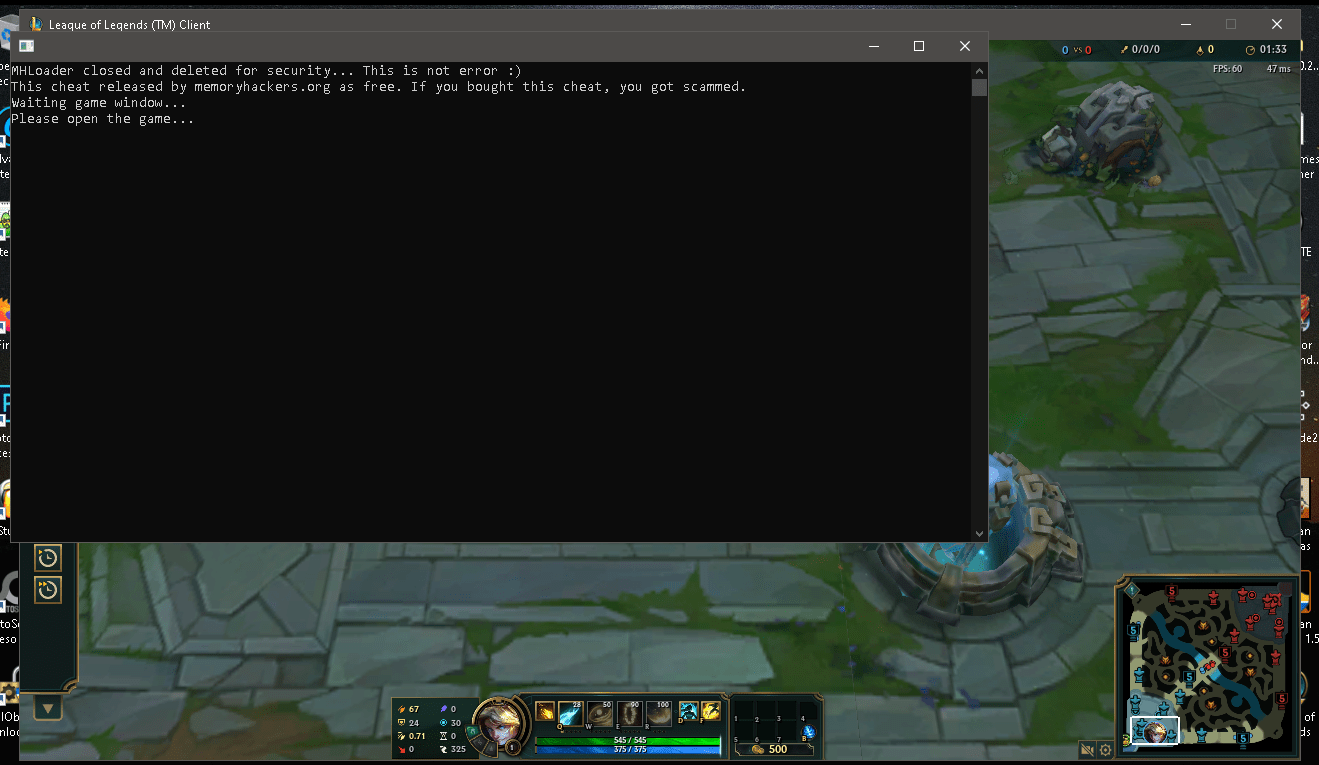
121212.png
 
Süper Üye
Katılım
15 Nis 2020
Mesajlar
653
Çözümler
2
Tepki puanı
37
Ödüller
5
Sosyal
6 HİZMET YILI
run before getting in the match like, searching for q, if the same thing still happens restart game it should work, worked for me
 
Donator
Katılım
10 Şub 2019
Mesajlar
1,034
Çözümler
5
Tepki puanı
104
Ödüller
9
7 HİZMET YILI
When you are in a queue or just waiting in a lobby, you should open the cheat exactly that time. After you find a game and the game client starts cheat will take effect and work.
 
🍌🐒
Onaylı Üye
Katılım
28 Nis 2021
Mesajlar
65
Çözümler
1
Tepki puanı
10
Ödüller
5
5 HİZMET YILI
As you can see in the image, when I insert the cheat, it tells me to supposedly open the game, but I have it open, LOL...
I do not have antivirus activated and I have also deactivated windows defender, any solution?

Ekli dosyayı görüntüle 74138
On the old windsharp console I had a similiar problem, the solution was I had to press enter while the console was focused "click in the consolewindow".
Post automatically merged:

Ekli dosyayı görüntüle 74143
I have this problem, I'm using a real computer and it says it can't run on a virtual machine, anyone have a fix?
Go into your BIOS settings and turn off the CPU virtualization.

Have u installed any VM software like Vmware or Virtualbox and installed the additions?
 
Son düzenleme:
Seçkin Üye
Katılım
16 May 2020
Mesajlar
334
Çözümler
1
Tepki puanı
38
Ödüller
4
Yaş
35
6 HİZMET YILI
Trên bảng điều khiển cần gạt gió cũ, tôi gặp một vấn đề tương tự, giải pháp là tôi phải nhấn enter trong khi bảng điều khiển tập trung "nhấp vào bảng điều khiểnwindow".
Post automatically merged:

On the old windsharp console I had a similiar problem, the solution was I had to press enter while the console was focused "click in the consolewindow".
Post automatically merged:


Go into your BIOS settings and turn off the CPU virtualization.

Have u installed any VM software like Vmware or Virtualbox and installed the additions?
i have installed vmware i uninstalled it but it still doesn't work
 
Durum
Üzgünüz bu konu cevaplar için kapatılmıştır...
Üst