OW2 Python Aim-Assist Free Cheat (Magenta Color) Working..

Cloud Rocket
Seçkin Üye
Katılım
13 Ağu 2022
Mesajlar
385
Çözümler
8
Tepki puanı
88
Ödüller
3
3 HİZMET YILI
Hi everyone, I'm new to the forum so if I broke any rules by posting this please ask the Staff to notify me and I'll remove the post

I don't own the original source code, I just updated and compiled it by adding a smooth to aim and interrupt driver

Making it clear that I've been testing for 4 days and so far there have been no detections in an average of 200 games, use it at your risk

Download Link (Mediafire)
Bağlantıları görmek için lütfen Giriş Yap

Interruption DLL:
Bağlantıları görmek için lütfen Giriş Yap

Virustotal Scan:
Bağlantıları görmek için lütfen Giriş Yap


How to use:

I compiled the code in .exe so you don't have problems with python dependencies and can use it just by clicking, anything ask for help in the forum topic or call me on discord: naedxvz#9894

1 - Download the Necessary Files and place them in a folder anywhere on your computer

2 - Open your Overwatch and set enemy colors to Magenta in your settings

3 - Start a training mode and open the cheat and test if everything goes well it will work in aim-assist

It was made for a 1080p resolution (1920x1080) but it hasn't been tested in others you can test and tell me here, although updating the box to other resolutions is something simple to solve

If the aim shake is pulling a lot, it's because of your mouse sensitivity, you should use 15.00 (that's what I use)

You should notice that there is no button to close the cheat after opening it, so use the "Q" key on your keyboard to close the process

If it opens correctly you should see this screen
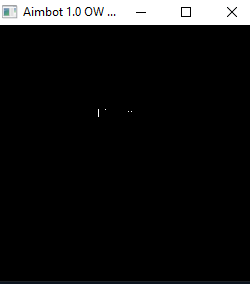
JCmRNai.png


Possible solutions if it doesn't open is to install python and use pip and install the following dependencies:

cv2
numpy
mss
win32api
pyautogui
win32con

But it is unlikely because I already compiled to avoid this type of errors

thanks everyone.
Very interesting, would you have the code of this .exe to make available and we can create one with settings for the community?
 
𝓖𝓞 𝓣𝓞 𝓣𝓗𝓔 𝓜𝓞𝓞𝓝
Süper Üye
Katılım
15 Mar 2018
Mesajlar
630
Çözümler
13
Tepki puanı
105
Ödüller
9
8 HİZMET YILI
Can I request a video of the test?
 
Seçkin Üye
Katılım
3 Ocak 2021
Mesajlar
331
Çözümler
1
Tepki puanı
30
Ödüller
3
5 HİZMET YILI
+++
Post automatically merged:

i want source code
 
Son düzenleme:
Cloud Rocket
Seçkin Üye
Katılım
13 Ağu 2022
Mesajlar
385
Çözümler
8
Tepki puanı
88
Ödüller
3
3 HİZMET YILI
I will be brief in the comments.

If we obtained the code, we would certainly make it as good as possible, as I tested it and here are the caveats:

Strengths :

- really is an AIM Assist


Negative points :

- Depending on the color chormia of your GPU it will have an absurd difference in the final result.
- Weapon spray software consistency drops a lot
- If you are going to use it with MH wall, you will have a lot of problem in returning the script because it ends up bugging it when aimlocking.


Result:

Very good, but we can improve
 
Seçkin Üye
Katılım
7 Şub 2019
Mesajlar
378
Çözümler
1
Tepki puanı
53
Ödüller
6
Yaş
34
7 HİZMET YILI
guvenlimi hile ban atıyor mu
 
Ultra Üye
Katılım
5 Nis 2019
Mesajlar
1,508
Çözümler
1
Tepki puanı
81
Ödüller
8
Yaş
26
7 HİZMET YILI
Can you upload like a youtube demo???
 
Seçkin Üye
Katılım
26 Ağu 2021
Mesajlar
408
Tepki puanı
55
Ödüller
5
Yaş
26
4 HİZMET YILI
Hi everyone, I'm new to the forum so if I broke any rules by posting this please ask the Staff to notify me and I'll remove the post

I don't own the original source code, I just updated and compiled it by adding a smooth to aim and interrupt driver

Making it clear that I've been testing for 4 days and so far there have been no detections in an average of 200 games, use it at your risk

Download Link (Mediafire)
Bağlantıları görmek için lütfen Giriş Yap

Interruption DLL:
Bağlantıları görmek için lütfen Giriş Yap

Virustotal Scan:
Bağlantıları görmek için lütfen Giriş Yap


How to use:

I compiled the code in .exe so you don't have problems with python dependencies and can use it just by clicking, anything ask for help in the forum topic or call me on discord: naedxvz#9894

1 - Download the Necessary Files and place them in a folder anywhere on your computer

2 - Open your Overwatch and set enemy colors to Magenta in your settings

3 - Start a training mode and open the cheat and test if everything goes well it will work in aim-assist

It was made for a 1080p resolution (1920x1080) but it hasn't been tested in others you can test and tell me here, although updating the box to other resolutions is something simple to solve

If the aim shake is pulling a lot, it's because of your mouse sensitivity, you should use 15.00 (that's what I use)

You should notice that there is no button to close the cheat after opening it, so use the "Q" key on your keyboard to close the process

If it opens correctly you should see this screen

JCmRNai.png


Possible solutions if it doesn't open is to install python and use pip and install the following dependencies:

cv2
numpy
mss
win32api
pyautogui
win32con

But it is unlikely because I already compiled to avoid this type of errors

thanks everyone.
somone posted it alredy its just same or its better?
 
Üye
Katılım
8 May 2022
Mesajlar
49
Tepki puanı
2
Yaş
27
4 HİZMET YILI
Hi everyone, I'm new to the forum so if I broke any rules by posting this please ask the Staff to notify me and I'll remove the post

I don't own the original source code, I just updated and compiled it by adding a smooth to aim and interrupt driver

Making it clear that I've been testing for 4 days and so far there have been no detections in an average of 200 games, use it at your risk

Download Link (Mediafire)
Bağlantıları görmek için lütfen Giriş Yap

Interruption DLL:
Bağlantıları görmek için lütfen Giriş Yap

Virustotal Scan:
Bağlantıları görmek için lütfen Giriş Yap


How to use:

I compiled the code in .exe so you don't have problems with python dependencies and can use it just by clicking, anything ask for help in the forum topic or call me on discord: naedxvz#9894

1 - Download the Necessary Files and place them in a folder anywhere on your computer

2 - Open your Overwatch and set enemy colors to Magenta in your settings

3 - Start a training mode and open the cheat and test if everything goes well it will work in aim-assist

It was made for a 1080p resolution (1920x1080) but it hasn't been tested in others you can test and tell me here, although updating the box to other resolutions is something simple to solve

If the aim shake is pulling a lot, it's because of your mouse sensitivity, you should use 15.00 (that's what I use)

You should notice that there is no button to close the cheat after opening it, so use the "Q" key on your keyboard to close the process

If it opens correctly you should see this screen

JCmRNai.png


Possible solutions if it doesn't open is to install python and use pip and install the following dependencies:

cv2
numpy
mss
win32api
pyautogui
win32con

But it is unlikely because I already compiled to avoid this type of errors

thanks everyone.
As I posted above, it uses the interrupt driver injected into the script but it was a few days of testing but no bans so far, you can test at your own risk
 
Banlı Üye
Katılım
22 Şub 2019
Mesajlar
557
Çözümler
1
Tepki puanı
44
Ödüller
3
Yaş
33
7 HİZMET YILI
hello im trying to try this i dont know how to install it can someone help me thank you
 
Zoro Hack
Süper Üye
Katılım
3 Mar 2021
Mesajlar
607
Çözümler
2
Tepki puanı
49
Ödüller
3
Yaş
29
Sosyal
5 HİZMET YILI
Can you send us a video? Or can we see some pictures?
 
Banlı Üye
Katılım
3 Ağu 2021
Mesajlar
543
Tepki puanı
38
Ödüller
1
4 HİZMET YILI
Hi everyone, I'm new to the forum so if I broke any rules by posting this please ask the Staff to notify me and I'll remove the post

I don't own the original source code, I just updated and compiled it by adding a smooth to aim and interrupt driver

Making it clear that I've been testing for 4 days and so far there have been no detections in an average of 200 games, use it at your risk

Download Link (Mediafire)
Bağlantıları görmek için lütfen Giriş Yap

Interruption DLL:
Bağlantıları görmek için lütfen Giriş Yap

Virustotal Scan:
Bağlantıları görmek için lütfen Giriş Yap


How to use:

I compiled the code in .exe so you don't have problems with python dependencies and can use it just by clicking, anything ask for help in the forum topic or call me on discord: naedxvz#9894

1 - Download the Necessary Files and place them in a folder anywhere on your computer

2 - Open your Overwatch and set enemy colors to Magenta in your settings

3 - Start a training mode and open the cheat and test if everything goes well it will work in aim-assist

It was made for a 1080p resolution (1920x1080) but it hasn't been tested in others you can test and tell me here, although updating the box to other resolutions is something simple to solve

If the aim shake is pulling a lot, it's because of your mouse sensitivity, you should use 15.00 (that's what I use)

You should notice that there is no button to close the cheat after opening it, so use the "Q" key on your keyboard to close the process

If it opens correctly you should see this screen

JCmRNai.png


Possible solutions if it doesn't open is to install python and use pip and install the following dependencies:

cv2
numpy
mss
win32api
pyautogui
win32con

But it is unlikely because I already compiled to avoid this type of errors

thanks everyone.
arduino için kodlarıda varmı yanında dahada ud bir hale getirilip kullanılabilir
 
Pooking
Süper Üye
Katılım
20 May 2022
Mesajlar
709
Tepki puanı
90
Ödüller
3
4 HİZMET YILI
Work like champs , thanks for sharing XD
 
Üst