Eski bir web tarayıcısı kullanıyorsunuz. Bu veya diğer siteleri görüntülemekte sorunlar yaşayabilirsiniz.. Tarayıcınızı güncellemeli veya alternatif bir tarayıcı kullanmalısınız.
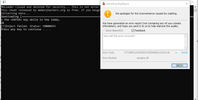
ÇözüldüWhen I run the script, the game closes and says injection failed
You get this error because your system is also missing aengine.dll file. To fix this problem, perform the transactions I gave below.
1- download aengine.dll file from the internet
2-If the computer is 64 Bit, Throw the downloaded file into the C:\Windows\SysWOW64\ folder
3- We open the Win + R run command and write the code below. Press enter.
4- regsvr32 engine.dll
5- restart and check the game
"If the problem is not solved, apply the steps I wrote below in order."
1- Format your windows version to windows 10 x64 1909 version. Update system drive and drive.
2- Install the programs from the links I gave you below,
You get this error because your system is also missing aengine.dll file. To fix this problem, perform the transactions I gave below.
1- download aengine.dll file from the internet
2-If the computer is 64 Bit, Throw the downloaded file into the C:\Windows\SysWOW64\ folder
3- We open the Win + R run command and write the code below. Press enter.
4- regsvr32 engine.dll
5- restart and check the game
"If the problem is not solved, apply the steps I wrote below in order."
1- Format your windows version to windows 10 x64 1909 version. Update system drive and drive.
2- Install the programs from the links I gave you below,
2- Delete the contents of these folders as well. Skip the undeliverable. Run >Temp --- Run >Prefetch --- Run >%TEMP%
3- Turn off or delete the anti-virus program. Disable real-time scanning of Windows Defender. "Turn the blue "On" key under the "Real-time protection" header to the closed position. Windows Defender has small programs written to permanently close and reopen, you can find it by browsing from the internet. see: "Defender Control"
4- If you are using the AdGuard DNS address, this is also a problem to use the trick. Because security blocking cookies, advertisements, etc. doing. Replace your DNS address with CloudFlare DNS address 1-1-1 -1<----> 1-0-0-1 .
5- Adguard Adblocker etc. in the internet browser you use. If you are using plugins and apps, turn it off.
6- Turn off security from the settings of the internet browser you use. Don't forget to turn off Smartscreen. Set and delete browser history to be all times.
7- Download the current MemoryUI from the cheat page and run it as an administrator.