Çözüldü [!]Inject failed. Status: C0000455

Durum
Üzgünüz bu konu cevaplar için kapatılmıştır...
Onaylı Üye
Katılım
3 May 2022
Mesajlar
64
Tepki puanı
5
Ödüller
3
Yaş
26
4 HİZMET YILI
MHLoader closed and deleted for security... This is not error :)
This cheat released by memoryhackers.org as free. If you bought this cheat, you got scammed.
Collecting Data...
Downloading [======================================================================] 100% Download Completed.Please press the <ENTER> key while in the lobby.
OK
[!]Inject failed. Status: C0000455
Press any key to continue . . .

why am I got error, I am using gameloop 32bit
Window Version 1909 (OS Build 18363, 418)
I have all software C++ and Direct X
a-
Bağlantıları görmek için lütfen Giriş Yap

b-
Bağlantıları görmek için lütfen Giriş Yap

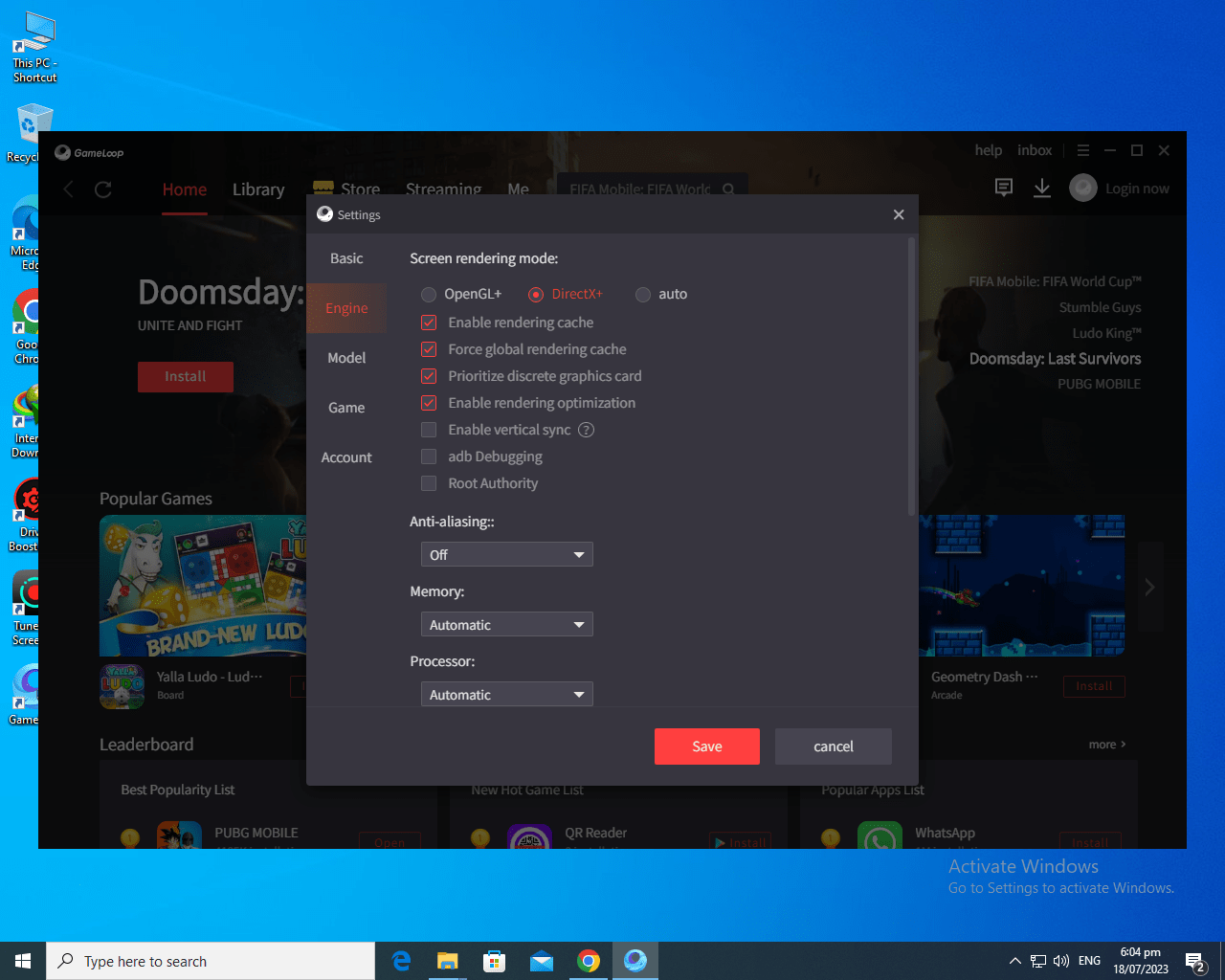
Direct X is selected in Gameloop
All temp , %temp% and prefetch folders are cleared
All antivirus and adblockers are Truned Off


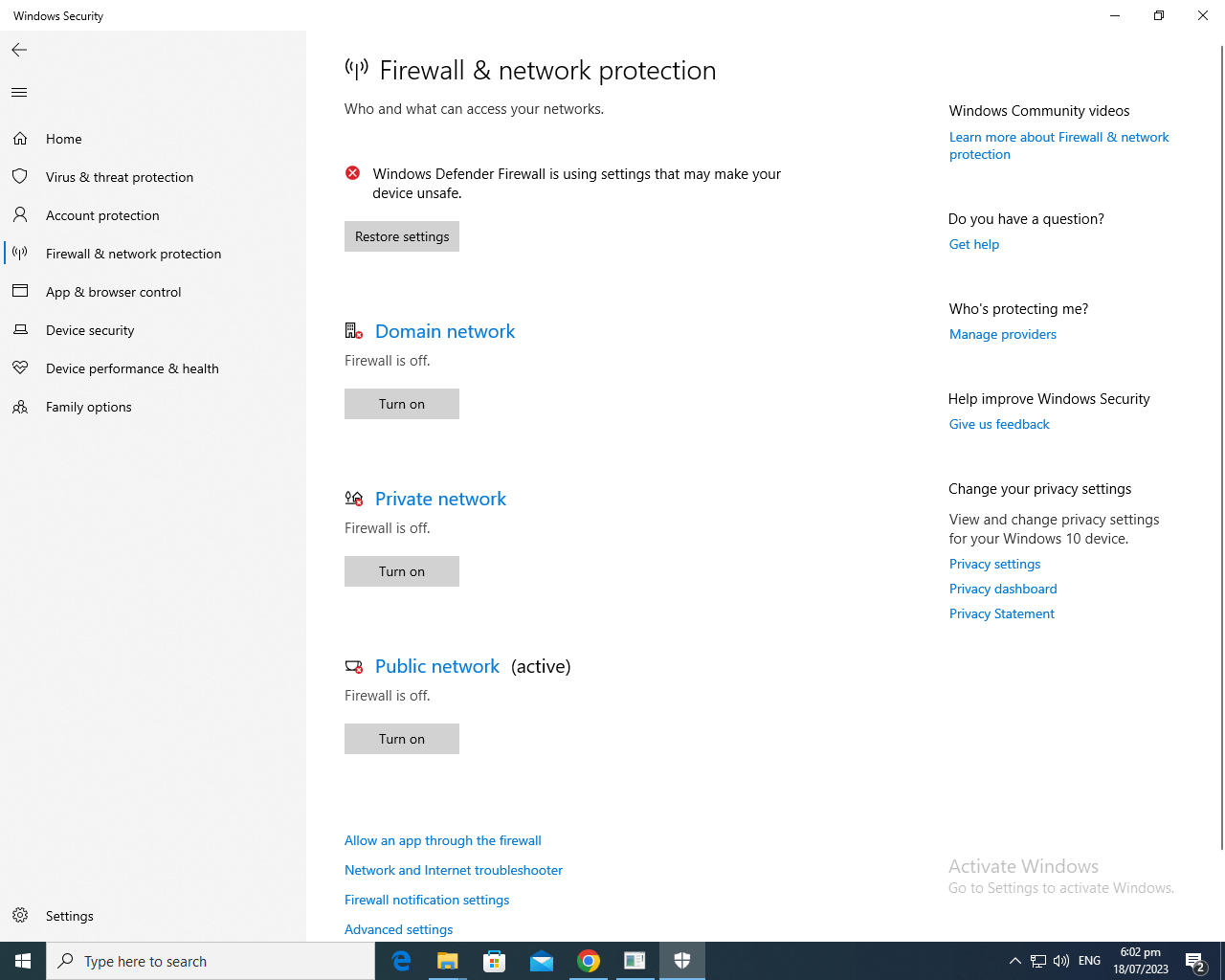
Screenshot (7).png
Screenshot (4).png
Screenshot (3).png
Screenshot (5).png
Screenshot (6).png
Screenshot (9).png
 
Son düzenleme:
Çözüm
Hello

1- Adblocker, Windows Security, Antivirus programs, Riot Vanguard and FaceIT Anticheat close them all.
2- Install this two programs down below
2.1-
Bağlantıları görmek için lütfen Giriş Yap

2.2-
Bağlantıları görmek için lütfen Giriş Yap
(unzip and run install_all.bat file with admin rights.)
3- Clear %temp% , temp and prefetch folders.
4- Then restart your computer and turn off Adblocker, Windows Security, Antivirus programs, Riot Vanguard and FaceIT Anticheat if you have them, and try again.
𐱅𐰇𐰼𐰚
Süper Moderator
Katılım
22 Haz 2022
Mesajlar
2,284
Çözümler
441
Tepki puanı
1,046
Ödüller
10
3 HİZMET YILI
Hello

1- Adblocker, Windows Security, Antivirus programs, Riot Vanguard and FaceIT Anticheat close them all.
2- Install this two programs down below
2.1-
Bağlantıları görmek için lütfen Giriş Yap

2.2-
Bağlantıları görmek için lütfen Giriş Yap
(unzip and run install_all.bat file with admin rights.)
3- Clear %temp% , temp and prefetch folders.
4- Then restart your computer and turn off Adblocker, Windows Security, Antivirus programs, Riot Vanguard and FaceIT Anticheat if you have them, and try again.
 
Çözüm
Onaylı Üye
Katılım
3 May 2022
Mesajlar
64
Tepki puanı
5
Ödüller
3
Yaş
26
4 HİZMET YILI
Hello

1- Adblocker, Windows Security, Antivirus programs, Riot Vanguard and FaceIT Anticheat close them all.
2- Install this two programs down below
2.1-
Bağlantıları görmek için lütfen Giriş Yap

2.2-
Bağlantıları görmek için lütfen Giriş Yap
(unzip and run install_all.bat file with admin rights.)
3- Clear %temp% , temp and prefetch folders.
4- Then restart your computer and turn off Adblocker, Windows Security, Antivirus programs, Riot Vanguard and FaceIT Anticheat if you have them, and try again.
I Have already tried all of these as i told above
 
𐱅𐰇𐰼𐰚
Süper Moderator
Katılım
22 Haz 2022
Mesajlar
2,284
Çözümler
441
Tepki puanı
1,046
Ödüller
10
3 HİZMET YILI
We do not have any other solution proposal for this. You can try other versions by formatting.

Our cheats do not officially support Winodws 7. Problems can occur in Windows 8 and Windows 8.1 versions. If you switch to one of the Windows 10 versions, you can use the cheat without any problems. The version where cheats work most smoothly is Windows 10 1909.

https://memoryhackers.org/konular/windows-10-guncel-surum-kurulum-rehberi.207186/
https://memoryhackers.org/konular/windows-11-guncel-surum-kurulum-rehberi.246083/
https://memoryhackers.org/konular/windows-10-tum-surumler-ve-windows-11-21h2-kurulum-rehberi.274850/
 
Onaylı Üye
Katılım
3 May 2022
Mesajlar
64
Tepki puanı
5
Ödüller
3
Yaş
26
4 HİZMET YILI
We do not have any other solution proposal for this. You can try other versions by formatting.

Our cheats do not officially support Winodws 7. Problems can occur in Windows 8 and Windows 8.1 versions. If you switch to one of the Windows 10 versions, you can use the cheat without any problems. The version where cheats work most smoothly is Windows 10 1909.

https://memoryhackers.org/konular/windows-10-guncel-surum-kurulum-rehberi.207186/
https://memoryhackers.org/konular/windows-11-guncel-surum-kurulum-rehberi.246083/
https://memoryhackers.org/konular/windows-10-tum-surumler-ve-windows-11-21h2-kurulum-rehberi.274850/
I am Already using Window Version 1909 (OS Build 18363, 418)
Windows 10 Pro 64 Bit

I Have spend my 3 weeks trying to find the solution. A Lot of people are having the problem. Please Fix this as soon as possible


Screenshot (4).png
 
Son düzenleme:
Durum
Üzgünüz bu konu cevaplar için kapatılmıştır...
Üst