

Game Đeveloper
Seçkin Üye
Cengiz Han 2,cengiz han2 ,cengizhan2,private,server,Cengiz Han 2 Private Server,nasıl kurulur,nasıl yapılır,Cengiz Han 2 Private Server Turkey,Cengiz Han 2 Private Server nasıl kurulur,Cengiz Han 2 Private Server nasıl yapılır,Genghis Khan 2,genghiskhan2, Genghis Khan II,




[TR] Merhabalar ben Youti, Sizlere daha doğrusu ilgilenenlere Cengiz Han 2 Server Kurma eğitimi yapacağım.
[EU] Hi, I'm youti. Today I will teach you how to set up Genghis Khan 2 Online Server.
•
[TR]
Şunlar devre dışı olmalıdır;
Windows Defender
Windows Güvenlik Duvarı
ve anti virüs programları
[EU]
They should be disabled;
Windows Defender
Windows Firewall
and anti-virus programs


[TR] İlk önce sayfayı gece görünümü yapın. Bu sizin daha rahat okumunuza yardımcı olacaktır.
[EU] Make the first page the night view. This will help you read more comfortably.


•

(Written Expression)

[TR] 1.) Genghis Khan 2 Server File.rar dosyasını indirin.
Kod:
[TR] Sadece ''Yeşil'' yazıları oku.
Kod:
[EU] Just read text "Yellow".[TR] Merhabalar ben Youti, Sizlere daha doğrusu ilgilenenlere Cengiz Han 2 Server Kurma eğitimi yapacağım.
[EU] Hi, I'm youti. Today I will teach you how to set up Genghis Khan 2 Online Server.
•
[TR]
Şunlar devre dışı olmalıdır;
Windows Defender
Windows Güvenlik Duvarı
ve anti virüs programları
[EU]
They should be disabled;
Windows Defender
Windows Firewall
and anti-virus programs
[TR] İlk önce sayfayı gece görünümü yapın. Bu sizin daha rahat okumunuza yardımcı olacaktır.
[EU] Make the first page the night view. This will help you read more comfortably.
•
(Written Expression)
[TR] 2.) Genghis Khan 2 Server File.rar 'ın içinde ki klasörü Masaüstüne çıkarın.
[TR] 3.) Genghis Khan 2 Server File Klasörünü açın ve Tool klasörüne girin.
[TR] 4.) Tool klasöründe ki Connector.reg dosyasını açın ve gelen uyarılara evet deyin.
[TR] 5.) Tool klasöründe ki mysql-connector-odbc-3.51.28 adlı mysql kurulum dosyasını sistem türünüze göre 32 bit veya 64 bit olarak kurun.
[TR] 6.) Kurulum tamamlandıktan sonra tekrar Tool klasöründen Connector.reg dosyasını açın ve gelen uyarılara evet deyin.
[TR] 7.) Genghis Khan 2 Server File klasöründe ki, Config.ini metin belgesini açın-
Config.ini metin belgesinde yazan GameDirectory=E:\Genghis Khan 2 Server File kısmına kendi bilgilerinizi yazın.
(Örn. C:\Users\??????\Desktop\Genghis Khan 2 Server File)
[TR] 8.) Genghis Khan 2 Server File Klasörüne girin ve ServerStart.exe adlı uygulamayı açın.
[TR] 9.) Açılan pencerede 8 seçeneğinde işaretli olduğundan emin olup aşağısında bulunan çince butona tıklayın.
[EU] 1.) Genghis Khan 2 Server File download .rar file.
[EU] 2.) Genghis Khan 2 Server File open the .rar file. Move the Genghis Khan 2 Server File folder to the desktop.
[EU] 3.) Open the Genghis Khan 2 Server File folder and enter the Tool folder.
[EU] 4.) The Connector.reg in the Tool folder open the file and say yes to the incoming warnings.
[EU] 5.) In the Tool folder, install mysql-connector-odbc-3.51.28 in 32 bit or 64 bit depending on your system type.
[EU] 6.) Once setup is complete, reconnect the Connector.reg from the Tool folder open the file and say yes to the incoming warnings.
[EU] 7.) Genghis Khan 2 Server File is in the folder, Config.ini open the text document-
Config.ini type your own information in the GameDirectory=E:\Genghis Khan 2 Server File section that says in the text document.
(e.g C:\Users\??????\Desktop\Genghis Khan 2 Server File)
[EU] 8.) Enter Genghis Khan 2 Server File in the folder, and ServerStart.exe open the application named.
[EU] 9.) Make sure that 8 options are selected in the program that opens, and click on the button that says "Chinese" below.
[TR]
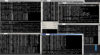
7 CMD ekranı açılıyorsa ve 3 dakika boyunca hiç bir hata vermiyorsa Server açılmıştır.
(Serveri kapatmak için tekrar ServerStart.exe de ki çince butona tıklayın.)
[EU]
If the 7 CMD screen is opened and no errors for 3 minutes, the server is opened.
(ServerStart.exe again to close the server click on the Chinese button in.)
(Notes)
7 CMD ekranı açılıyorsa ve 3 dakika boyunca hiç bir hata vermiyorsa Server açılmıştır.
(Serveri kapatmak için tekrar ServerStart.exe de ki çince butona tıklayın.)
[EU]
If the 7 CMD screen is opened and no errors for 3 minutes, the server is opened.
(ServerStart.exe again to close the server click on the Chinese button in.)
(Notes)
- [TR] Dosya Sahibi: martinle
- [TR] İzin alınarak paylaşılmıştır. Herkes konuyu kaldırmayı talep edemez.
- [TR] Lütfen verilen bilgilerden başka dosyayı karıştırmayın .!
- [TR] Files hiç bir şekilde editlenmemişdir. (Entrance.cfg hariç)
- [TR] Bu konu alıntı değildir .
- [TR] Konuyu beğenmeniz ve yorum yapmanız beni destekler ve diğer önemli bilgileri paylaşmama önem verir.
- [TR] Server Full Çincedir.
- [TR] Desteğiniz bana NPC - Görev - Harita Türkçeleştirme - GM Kodları - Binek Çağırma - Dükkan Ayarlama ve diğer bilgileri paylaşmama olanak sağlar.
- SADECE PC DEN (TEK BAŞINA) OYNANILABİLECEK ŞEKİLDE AYARLIDIR. (İndir-Oyna)
- [TR] Online (Başkalarıyla Beraber) oynamak için vds sunucu veya hamachi ağı lazımdır.
- [EU] File Creator: martinle
- [EU] Shared with permission. Anyone can not request to remove the topic.
- [EU] Please do not confuse the file with any other information provided .!
- [EU] Files have never been edited. (Entrance.cfg except for)
- [EU] This topic does not quote.
- [EU] You like the topic and comment supports me. and attaches importance to sharing other important information.
- [EU] The language of the server is Chinese.
- [EU] Your support allows me to edit the NPC - Map Language - Share GM Codes - Call boarding - Store and share other information.
- IT IS SET TO BE PLAYED ONLY FROM THE PC (STANDALONE). (Download-Play)
- [EU] To play online (together with others) you need a VDS server or hamachi network.
Sorular / Questions
[TR]
+ Serveri kurdum oyuna nasıl gireceğim ?
- İstemci dosyasını indirerek tabi ki!
[TR]
+ Dediğin herşeyi yaptım ama hata veriyor.
- Özel Mesaj yoluyla hatanın fotoğrafını yollarsanız yardımcı olurum.
[EU]
+ I set up the server, how to get into the game ?
- By downloading the Client File, of course!
[EU]
+ I've done everything you say, but it's wrong.
- I'il help if you send me a photo of the mistake through a private message.
(Working Systems)
Windows XP - 32 Bit - Working
Windows XP - 64 Bit - Working
Windows 7 - 32 Bit - Working
Windows 7 - 64 Bit - Working
Windows 8 - Working
Windows 8.1 - Working
Windows 10 - Working

Şifre Çözme Anahtarı:
The Decryption Key:
t3TEVSEvSjoSijRAS-ZmPAEzAkM0PruTntlHWaYO5cc
[TR]
+ Serveri kurdum oyuna nasıl gireceğim ?
- İstemci dosyasını indirerek tabi ki!
[TR]
+ Dediğin herşeyi yaptım ama hata veriyor.
- Özel Mesaj yoluyla hatanın fotoğrafını yollarsanız yardımcı olurum.
[EU]
+ I set up the server, how to get into the game ?
- By downloading the Client File, of course!
[EU]
+ I've done everything you say, but it's wrong.
- I'il help if you send me a photo of the mistake through a private message.
(Working Systems)
Windows XP - 32 Bit - Working
Windows XP - 64 Bit - Working
Windows 7 - 32 Bit - Working
Windows 7 - 64 Bit - Working
Windows 8 - Working
Windows 8.1 - Working
Windows 10 - Working
Bağlantıları görmek için lütfen
Giriş Yap
Bağlantıları görmek için lütfen
Giriş Yap
Şifre Çözme Anahtarı:
The Decryption Key:
t3TEVSEvSjoSijRAS-ZmPAEzAkM0PruTntlHWaYO5cc

Son düzenleme:


