- Admin
- #1

^^
Kurucu
[TR] İki Adımlı Doğrulama sistemi aktif edilmiştir.
[EN] The Two-Step Verification system has been activated.
Şifre ve Güvenlik Alanına Gidiyoruz.
We Go to the Password and Security Area.

Karşımıza çıkan ekrandan, iki adımlı doğrulama değiştir diyoruz.
From the screen we see, we say change two-step verification.

Uygulama yoluyla doğrulama diyoruz (Etkinleştir)
We call verification through application (Enable)

Veya Mail olarak
Or by Mail

Telefonumuza göre Google Authenticator Kuruyoruz.
We Install Google Authenticator by phone.
Ardından Telefondan kurduğumuz uygulamaya + Simgesine basıyoruz, ve barkodu tara diyoruz.
Then we press the + Icon on the application we installed from the phone. and we call it scan the barcode.
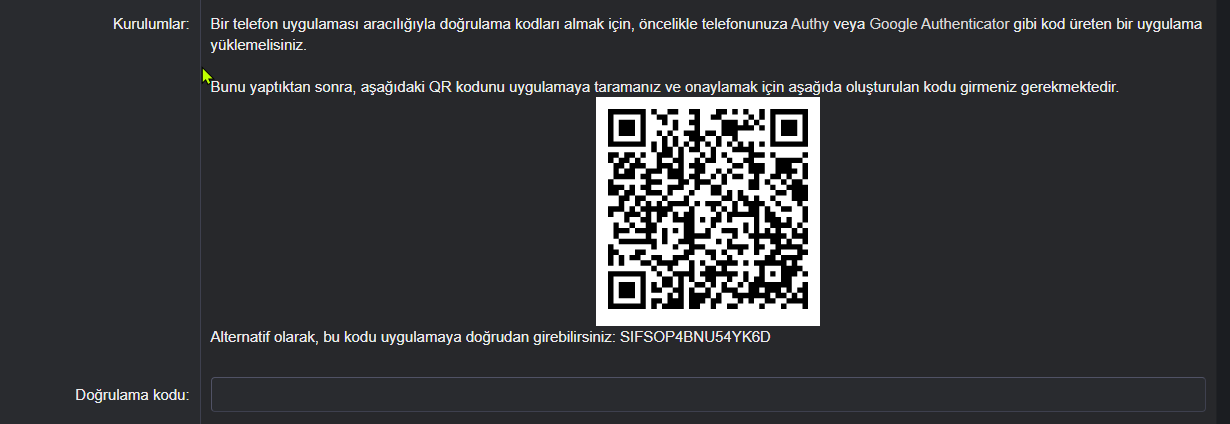
Barkodu taradıktan sonra bize bir doğrulama verecektir. bu kodu doğrulama kodu kısmına yazıyoruz.
It will give us a verification after scanning the barcode. we write this code in the verification code section.
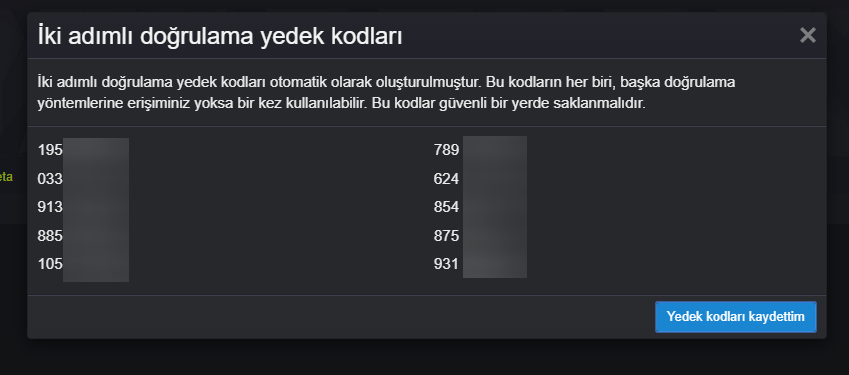
Ardından Tamam diyoruz ve yedek kodlarımızı kenara kaydediyoruz. ve telefonum yok iken bu kodlarla giriş yapabileceğiz. Şifreniz çalınsa dahi iki adımlı doğrulama sizi koruyacaktır.
Then we say OK and save our backup codes aside. and when I don't have a phone, we will be able to login with these codes. Two-step verification will protect you even if your password is stolen.
Uygulama kullanma detaylı bilgi / Using the application detailed information
[EN] The Two-Step Verification system has been activated.
Şifre ve Güvenlik Alanına Gidiyoruz.
We Go to the Password and Security Area.
Karşımıza çıkan ekrandan, iki adımlı doğrulama değiştir diyoruz.
From the screen we see, we say change two-step verification.
Uygulama yoluyla doğrulama diyoruz (Etkinleştir)
We call verification through application (Enable)
Veya Mail olarak
Or by Mail
Telefonumuza göre Google Authenticator Kuruyoruz.
We Install Google Authenticator by phone.
Bağlantıları görmek için lütfen
Giriş Yap
Bağlantıları görmek için lütfen
Giriş Yap
Ardından Telefondan kurduğumuz uygulamaya + Simgesine basıyoruz, ve barkodu tara diyoruz.
Then we press the + Icon on the application we installed from the phone. and we call it scan the barcode.
Barkodu taradıktan sonra bize bir doğrulama verecektir. bu kodu doğrulama kodu kısmına yazıyoruz.
It will give us a verification after scanning the barcode. we write this code in the verification code section.
Ardından Tamam diyoruz ve yedek kodlarımızı kenara kaydediyoruz. ve telefonum yok iken bu kodlarla giriş yapabileceğiz. Şifreniz çalınsa dahi iki adımlı doğrulama sizi koruyacaktır.
Then we say OK and save our backup codes aside. and when I don't have a phone, we will be able to login with these codes. Two-step verification will protect you even if your password is stolen.
Uygulama kullanma detaylı bilgi / Using the application detailed information
Bağlantıları görmek için lütfen
Giriş Yap
Son düzenleme: